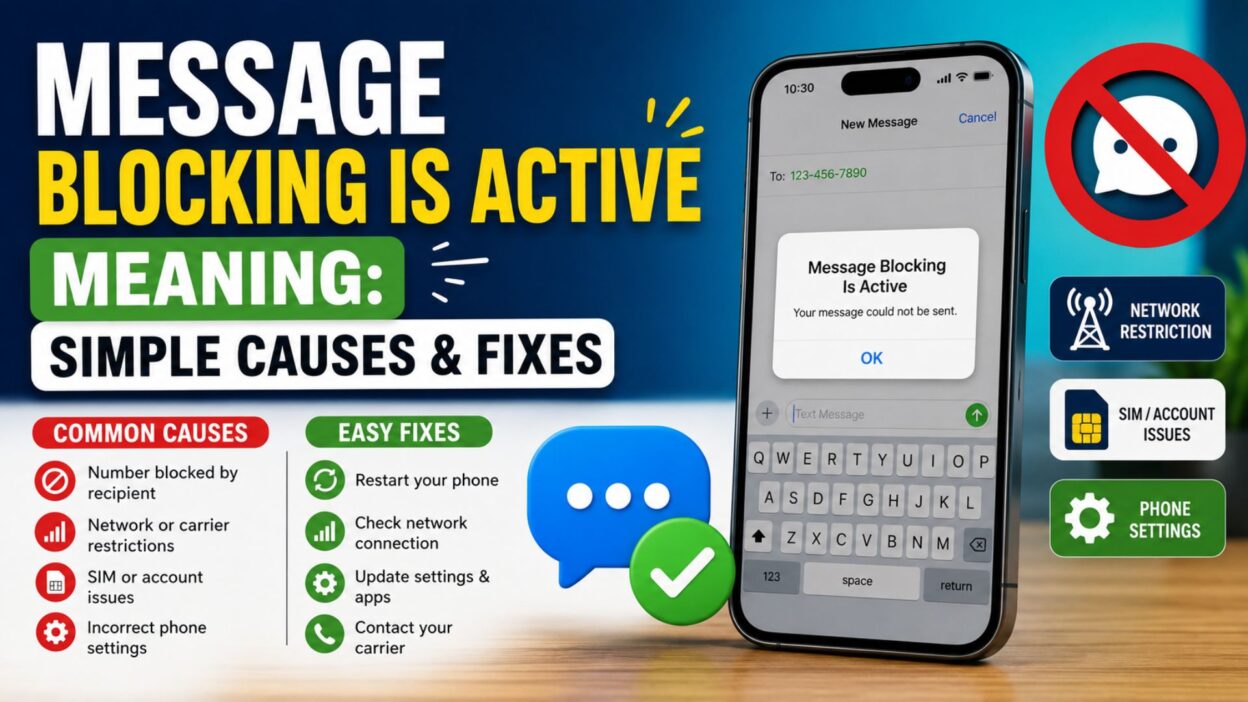
You open your messaging app, type a text, and tap Send. However, instead of reaching the other person, your phone displays “Message Blocking Is Active.” At first, this error can feel confusing and frustrating. After all, you may have a strong signal and an active mobile plan. So, why won’t your message go through?
Fortunately, understanding the message blocking is active meaning is much easier than it seems. In most situations, something prevents your phone from sending SMS messages successfully. For instance, your carrier may have restricted messaging, your account might need attention, or the recipient may have blocked your number. In addition, incorrect phone settings, SIM card issues, or temporary network problems can trigger the same error. Therefore, you don’t need to panic or assume your phone is broken. Instead, you can identify the real cause and fix it step by step. Throughout this guide, you’ll discover what this error means, why it appears, and, most importantly, how to solve it quickly.
What Does Message Blocking Is Active Meaning?
Before you try different solutions, it’s important to understand what this error actually means. In general, it indicates that something is preventing your text message from leaving your phone or reaching the recipient.
- 📱 Your carrier has temporarily restricted SMS services.
- 📵 Your account needs attention because of a billing issue.
- 🚫 The recipient has blocked your phone number.
- 📶 Your phone has a weak or unstable network signal.
- 📩 Your carrier has disabled SMS messaging on your line.
- 📲 Your SIM card isn’t fully activated.
- ⚙️ Incorrect messaging settings are causing the problem.
- 🌍 Your mobile plan doesn’t support the type of message you’re sending.
- 🔄 A temporary carrier outage is affecting messaging services.
- ❌ Your phone number hasn’t finished carrier registration.
- 📡 Your network connection keeps dropping.
- 🔐 Your carrier has applied a messaging restriction.
- 📴 Airplane Mode is still turned on.
- 💳 Your prepaid balance has expired.
- 📞 Your account requires carrier verification.
- 📥 Your messaging app lacks the required permissions.
- 🔁 A software bug interrupts normal messaging.
- 📤 Your SMS message center number is incorrect.
- ⚠️ A temporary network issue delays message delivery.
- ✅ A quick phone restart often resolves minor messaging problems.
Common Causes of the Message Blocking Is Active Error
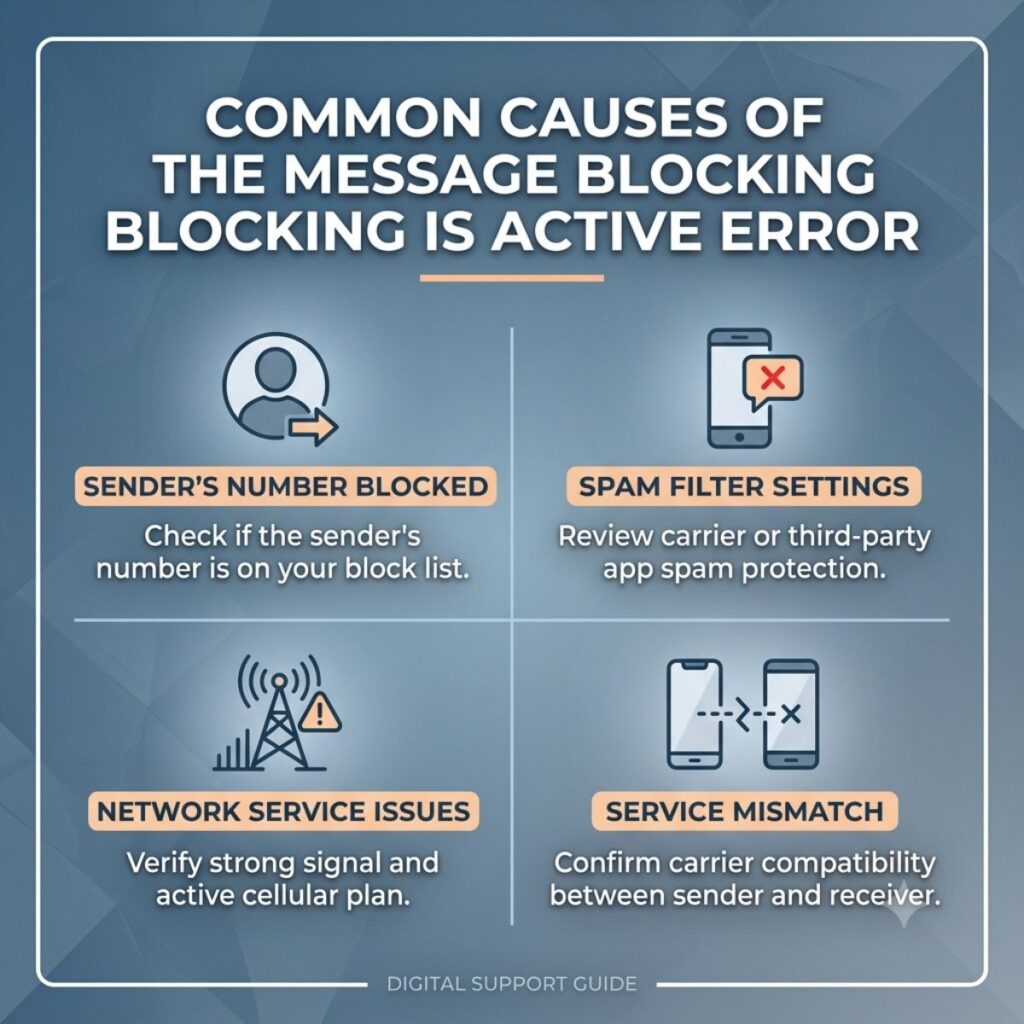
Once you understand the possible causes, troubleshooting becomes much easier. Therefore, check these common issues before trying advanced fixes.
- 📵 Your mobile plan doesn’t include text messaging.
- 💳 Your carrier has suspended your account because of an unpaid bill.
- 🚫 The recipient has blocked your number.
- 📱 Your SIM card isn’t activated correctly.
- 📶 Poor cellular coverage interrupts message delivery.
- ⚙️ Your messaging settings need updating.
- 🔄 Your carrier is performing network maintenance.
- 📩 Premium messaging remains disabled on your account.
- 🌍 Your plan doesn’t support international texting.
- 📡 Heavy network traffic slows message delivery.
- 📴 Airplane Mode blocks your mobile connection.
- 🔐 Your carrier has limited outgoing SMS messages.
- 📞 You entered an incorrect phone number.
- 📥 Your messaging app needs an update.
- 🧹 Corrupted app data prevents messages from sending.
- 🔁 A recent software update changed your network settings.
- 📲 Dual SIM settings use the wrong SIM for texting.
- 📤 Your phone has an incorrect SMS service center number.
- ⚠️ A temporary software glitch interrupts messaging.
- ✅ Your carrier needs to refresh your account settings.
Quick Fixes for Message Blocking Is Active Meaning
Fortunately, many users solve this problem within a few minutes. So, try these simple fixes before contacting your mobile carrier.
- 🔄 Restart your smartphone.
- 📶 Check your cellular signal strength.
- 📴 Turn Airplane Mode off and then back on.
- 📱 Remove your SIM card and insert it again.
- 📥 Update your messaging app.
- ⚙️ Reset your network settings.
- 📡 Enable your mobile network connection.
- 💳 Confirm that your account is active.
- 📞 Contact your mobile carrier for account verification.
- 🌍 Make sure your plan supports international messaging.
- 📤 Verify your SMS message center number.
- 🔁 Switch between Wi-Fi and mobile data.
- 📲 Send a test message to another contact.
- 🧹 Clear your messaging app cache.
- 📩 Allow all required messaging permissions.
- 🔐 Turn off third-party message blocking apps.
- 📱 Install the latest software update.
- 📶 Wait until your carrier resolves temporary outages.
- 📞 Double-check the recipient’s phone number.
- ✅ Send a simple text message to confirm the issue is resolved.
How to Fix Message Blocking Is Active on Android
If you use an Android phone, several simple checks can solve this error. In many cases, you can restore SMS messaging without contacting your carrier.
- 📱 Restart your Android device to refresh network connections.
- 📶 Move to an area with a stronger cellular signal.
- 📴 Turn Airplane Mode on for a few seconds, then turn it off.
- 📲 Remove your SIM card, clean it gently, and insert it again.
- ⚙️ Open your messaging settings and make sure SMS is enabled.
- 📥 Update the Google Messages app from the Play Store.
- 🧹 Clear the Messages app cache and temporary data.
- 🔄 Reset your Android network settings.
- 📡 Choose the correct SIM card if you use Dual SIM.
- 📤 Verify the SMS service center number with your carrier.
- 💳 Check that your mobile plan includes text messaging.
- 🌍 Enable international texting if you’re messaging abroad.
- 📞 Contact your carrier to confirm there are no restrictions.
- 🔐 Turn off any third-party SMS blocking apps.
- 📱 Install the latest Android software update.
- 📩 Send a message to another contact to test the service.
- 📶 Wait a few minutes if your carrier reports an outage.
- 🔁 Restart your phone again after changing network settings.
- 📞 Confirm that the recipient’s number is correct.
- ✅ Try sending a short text before sending longer messages.
How to Fix Message Blocking Is Active on iPhone
iPhone users can also resolve this error by checking a few settings. Therefore, work through these solutions one by one.
- 📱 Restart your iPhone.
- 📶 Check your cellular signal before sending another text.
- 📴 Disable Airplane Mode if it’s enabled.
- 📲 Remove and reinsert your SIM card if your iPhone uses one.
- ⚙️ Go to Settings and confirm Messages is enabled.
- 📥 Install the latest iOS update.
- 🔄 Reset your network settings if the problem continues.
- 📡 Make sure your carrier settings are up to date.
- 💳 Verify that your account is active.
- 📞 Contact your carrier if texting still doesn’t work.
- 🌍 Check whether your plan supports international SMS.
- 📤 Ask your carrier to confirm your SMS service center settings.
- 📩 Test another phone number to narrow down the issue.
- 🔐 Remove any message filtering apps that may block SMS.
- 📱 Turn iMessage off temporarily and test SMS.
- 🔁 Turn your cellular connection off and back on.
- 📶 Wait for carrier maintenance to finish if necessary.
- 📞 Double-check the recipient’s phone number.
- 🧹 Free up storage if your iPhone is almost full.
- ✅ Send a simple SMS to verify everything works again.
Best Tips to Prevent the Message Blocking Is Active Error
Although you can’t avoid every network issue, you can reduce the chances of seeing this error by following a few good habits.
- ✅ Keep your phone software updated.
- 📱 Update your messaging app regularly.
- 💳 Pay your mobile bill before the due date.
- 📶 Stay connected to a reliable mobile network.
- 📲 Check your SIM card if you notice frequent issues.
- ⚙️ Review your messaging settings after software updates.
- 📩 Keep SMS permissions enabled.
- 🌍 Confirm roaming and international messaging before traveling.
- 📞 Save your carrier’s support number for quick assistance.
- 🧹 Clear your messaging app cache from time to time.
- 🔄 Restart your phone occasionally.
- 📡 Watch for carrier outage announcements.
- 🔐 Avoid installing unnecessary SMS-blocking apps.
- 📤 Verify phone numbers before sending important messages.
- 📥 Keep enough storage available on your device.
- 📶 Replace a damaged SIM card promptly.
- 📱 Use the correct SIM for messaging on Dual SIM phones.
- 🔁 Refresh your network settings if texting becomes unreliable.
- ❤️ Test messaging after making major phone changes.
- 🌟 Address small messaging issues early before they become bigger problems.
Message Blocking Is Active Meaning: Quick Troubleshooting Checklist
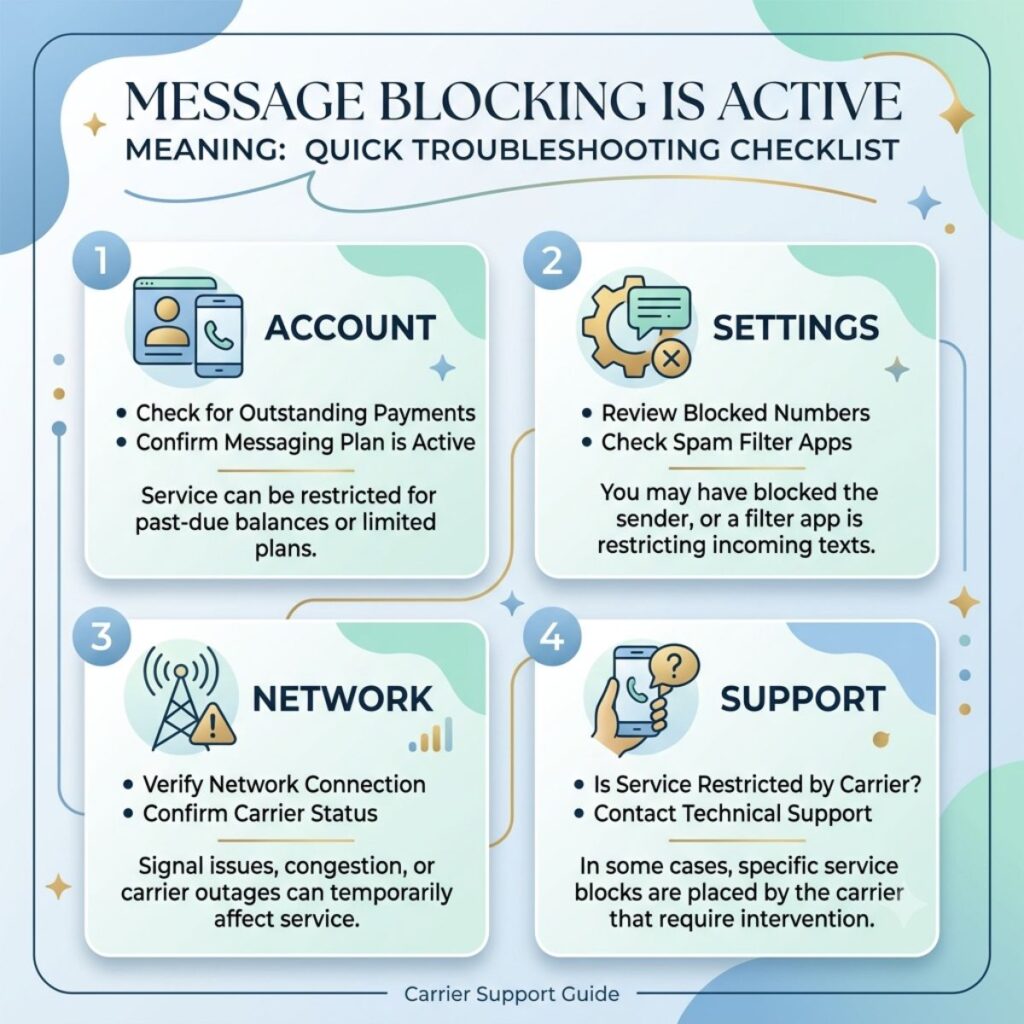
If you’re still seeing the error, don’t worry. Instead, go through this checklist to identify the problem quickly.
- ✅ Restart your phone.
- 📶 Check your cellular signal.
- 📱 Confirm your SIM card is active.
- 💳 Verify your mobile account is in good standing.
- 📩 Make sure SMS messaging is included in your plan.
- 🌍 Check whether international messaging is enabled.
- 📞 Confirm the recipient’s phone number.
- 🚫 Ask whether the recipient has blocked your number.
- ⚙️ Review your messaging settings.
- 📥 Update your messaging app.
- 📱 Install the latest software update.
- 🔄 Reset your network settings if needed.
- 📡 Check for carrier outages.
- 🧹 Clear your messaging app cache.
- 📤 Test another contact to narrow down the issue.
- 🔐 Disable third-party message blocking apps.
- 📴 Turn Airplane Mode off.
- 📲 Reinsert your SIM card.
- 📞 Contact your carrier if the error continues.
- 🎯 Try sending another SMS after completing these steps.
Frequently Asked Questions
What does message blocking is active mean?
The message blocking is active meaning is that something is preventing your text message from being sent. In most cases, the issue relates to your mobile carrier, account status, network connection, phone settings, or the recipient.
Why does my phone say “Message Blocking Is Active”?
Your phone usually displays this message because your carrier has restricted SMS service, your account has a problem, your SIM card isn’t working correctly, or the recipient has blocked your number.
Can a blocked number cause the Message Blocking Is Active error?
Yes. If someone blocks your number, your text messages may fail to send. However, this error can also appear because of carrier restrictions, network issues, or incorrect phone settings.
How do I fix the Message Blocking Is Active error?
First, restart your phone and check your network connection. Next, verify your account status, inspect your SIM card, update your messaging app, and reset your network settings if necessary. If the issue remains, contact your mobile carrier.
Does Message Blocking Is Active mean I’m blocked?
Not always. Although a blocked number is one possible reason, many other issues can trigger the same error. For example, your carrier, SIM card, mobile plan, or phone settings may be responsible.
Conclusion
Seeing the Message Blocking Is Active error can feel frustrating, especially when you need to send an important text. Fortunately, once you understand the message blocking is active meaning, solving the problem becomes much easier. In many situations, a simple restart, a network settings check, or a quick conversation with your carrier resolves the issue.
Moreover, taking a few preventive steps can help you avoid the same error in the future. For example, keep your phone updated, maintain an active mobile plan, and review your messaging settings whenever something changes. Most importantly, work through each solution one step at a time instead of guessing. By following the tips in this guide, you can identify the cause, restore your SMS service, and send messages with confidence again.

Awais Bilal is the author of Messagesfy, sharing simple and meaningful messages, quotes, and wishes to help people express their feelings easily.