Have you ever wondered what SMS means when you send or receive a text? Although most people use texting every day, many don’t know what happens behind the scenes. If you’ve searched what is a SMS message, you’re in the right place.
Simply put, SMS is one of the easiest and most reliable ways to send text messages from one mobile phone to another. Unlike apps such as WhatsApp or Messenger, SMS doesn’t rely on an internet connection. Instead, it uses your mobile carrier’s network to deliver messages quickly and efficiently. As a result, it works on almost every mobile phone, making it a trusted communication method around the world.
Whether you’re using an Android phone, an iPhone, or even a basic mobile device, understanding SMS helps you know when and why your phone sends standard text messages. In this guide, you’ll learn what SMS is, how it works, its benefits, common uses, and why millions of people and businesses still depend on it every day.
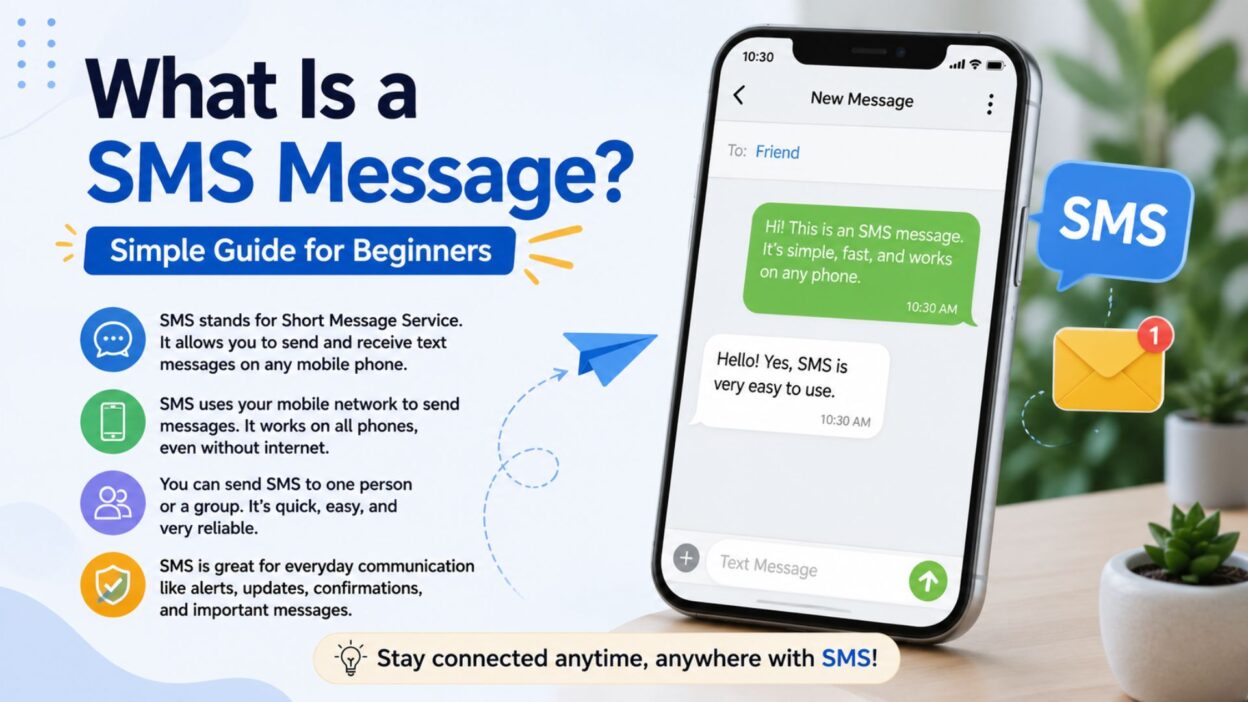
What Is a SMS Message?
If you’re asking what is a SMS message, the answer is straightforward.
SMS stands for Short Message Service. It allows people to send and receive short text messages through a mobile carrier’s cellular network. Since SMS doesn’t require Wi-Fi or mobile data, it continues to work even when internet access isn’t available.
Moreover, SMS supports text-only communication, making it one of the simplest messaging services available. Although modern messaging apps offer more features, SMS remains popular because it is reliable, fast, and compatible with nearly every mobile phone.
Key facts about SMS
- SMS stands for Short Message Service.
- It sends text-only messages.
- A standard SMS can contain up to 160 characters.
- It works through your mobile carrier instead of the internet.
- It doesn’t require Wi-Fi or mobile data.
- It supports communication between Android and iPhone devices.
- It works on both smartphones and basic mobile phones.
- Businesses often use SMS for alerts, reminders, and verification codes.
- People around the world still rely on SMS every day.
- It remains one of the most dependable messaging technologies available.
How Does an SMS Message Work?
Although sending an SMS feels almost instant, the process involves several quick steps. Fortunately, everything happens automatically within seconds.
Here’s how an SMS message works:
- First, you type your message.
- Next, you tap the Send button.
- Then, your phone forwards the message to your mobile carrier.
- After that, the carrier routes the message through the SMS network.
- Next, the recipient’s carrier receives the message.
- Finally, the message reaches the recipient’s phone.
- If the recipient’s phone is unavailable, the carrier temporarily stores the message.
- As soon as the phone reconnects to the network, the carrier delivers the message.
- In most cases, the entire process takes only a few seconds.
- Therefore, SMS remains a dependable option even without an internet connection.
Common Examples of SMS Messages
People use SMS for personal conversations as well as business communication. For example, friends exchange quick updates, while companies send important notifications.
Personal SMS examples
- “I’ll be there in 10 minutes.”
- “Happy Birthday! Hope you have an amazing day!”
- “Can you call me when you’re free?”
- “Don’t forget our appointment tomorrow.”
- “Thanks for helping me today!”
- “Running a few minutes late.”
- “See you this evening.”
- “I’m outside whenever you’re ready.”
- “Good morning! Have a wonderful day.”
- “Congratulations on your new job!”
Business SMS examples
- “Your appointment is confirmed for 2:00 PM.”
- “Your verification code is 483921.”
- “Your package has been delivered.”
- “Your payment was successful.”
- “Flash Sale! Save 20% today only.”
- “Your order has shipped.”
- “Your reservation is confirmed.”
- “Security Alert: We detected a new login.”
- “Reminder: Your bill is due tomorrow.”
- “Thank you for choosing our service.”
Benefits of SMS Messages
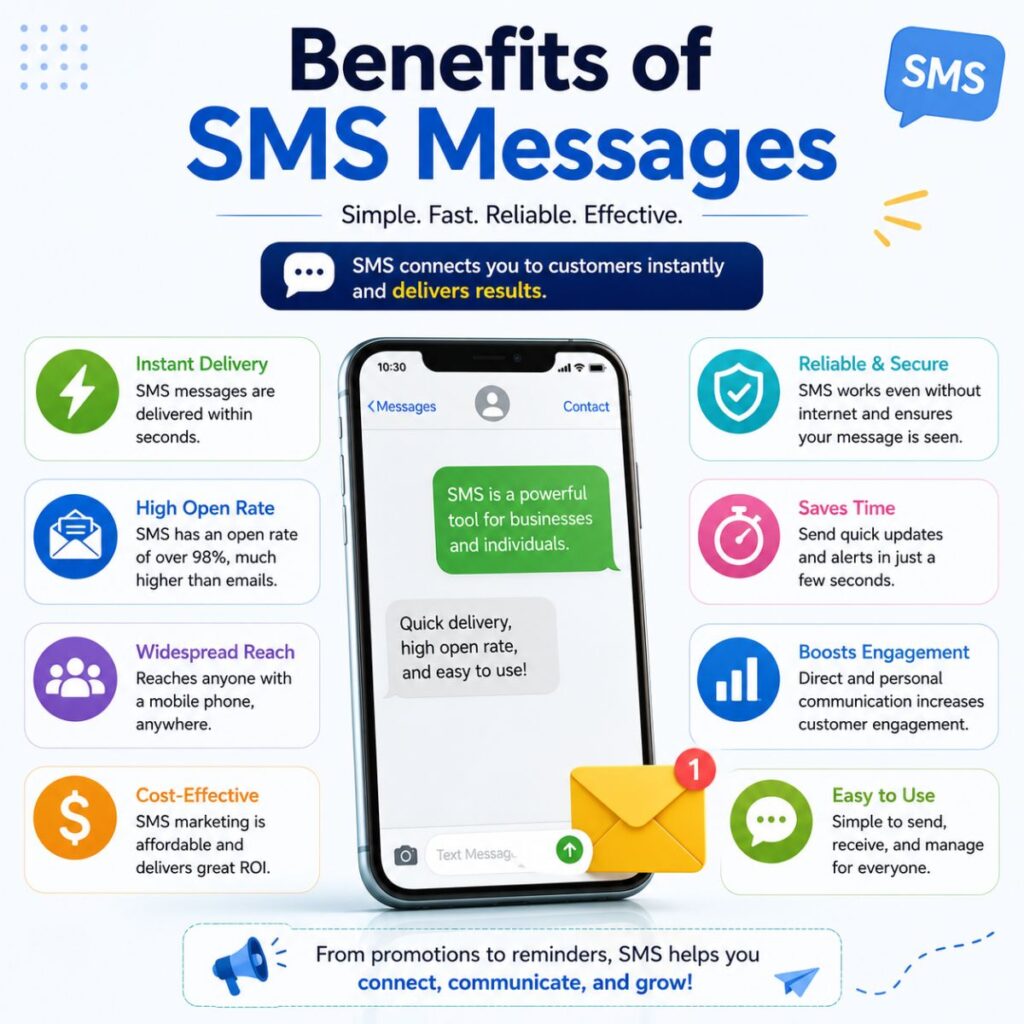
Even though messaging apps continue to grow in popularity, SMS still offers several important advantages. As a result, both individuals and businesses use it every day.
Some of the biggest benefits include:
- Works without an internet connection.
- Supports almost every mobile phone.
- Delivers messages quickly and reliably.
- Helps during emergencies.
- Keeps communication simple and easy.
- Supports two-factor authentication (2FA).
- Makes appointment reminders convenient.
- Achieves high open rates compared to email.
- Helps businesses communicate instantly with customers.
- Requires no additional apps or software.
What Is a SMS Message?
SMS vs MMS vs RCS
Now that you know what SMS is, it’s helpful to understand how it compares with MMS and RCS. Although all three let you send messages, they work differently and offer different features.
SMS (Short Message Service)
SMS is the traditional text messaging service available on every mobile phone. It uses your mobile carrier’s network instead of the internet. Therefore, you can send and receive SMS messages even when Wi-Fi isn’t available.
Key features of SMS:
- Sends text-only messages.
- Limited to 160 characters per message.
- Doesn’t require internet access.
- Works on almost every mobile phone.
- Ideal for quick, reliable communication.
MMS (Multimedia Messaging Service)
Unlike SMS, MMS allows you to send multimedia content. Besides text, you can include photos, videos, audio files, GIFs, and contact cards. However, MMS usually costs more than SMS if it isn’t included in your mobile plan.
Key features of MMS:
- Sends images and videos.
- Supports audio and GIFs.
- Allows longer messages than SMS.
- Uses your carrier’s multimedia messaging service.
- Great for sharing media with friends and family.
RCS (Rich Communication Services)
RCS is the modern version of text messaging. Instead of relying only on your carrier’s SMS system, it uses an internet connection to provide advanced messaging features.
As a result, RCS offers an experience that’s similar to apps like WhatsApp and iMessage.
Key features of RCS:
- Sends high-quality photos and videos.
- Shows typing indicators.
- Displays read receipts.
- Supports group chats.
- Allows file sharing.
- Uses Wi-Fi or mobile data.
- Provides end-to-end encryption in supported conversations.
SMS vs MMS vs RCS at a Glance
FeatureSMSMMSRCSInternet RequiredNoNoYesText Messages✅✅✅Photos & Videos❌✅✅Read Receipts❌❌✅Typing Indicators❌❌✅Group ChatsBasicBasicAdvancedWorks on Almost Every Phone✅✅Limited Support
When Should You Use SMS?
Although messaging apps have become more popular, SMS still makes sense in many situations. In fact, it’s often the most dependable choice when internet access is limited.
Here are some common situations where SMS works best:
- When you don’t have Wi-Fi.
- When mobile data isn’t available.
- For sending verification codes.
- For two-factor authentication (2FA).
- For appointment reminders.
- For banking alerts.
- For delivery notifications.
- During emergencies.
- When contacting someone who doesn’t use messaging apps.
- For quick personal conversations.
Advantages of SMS
SMS continues to be widely used because it’s simple, reliable, and accessible. Moreover, it works across nearly all mobile devices.
Some of its biggest advantages include:
- Doesn’t require an internet connection.
- Fast message delivery.
- Works on Android and iPhone.
- Compatible with older mobile phones.
- Easy for anyone to use.
- High message open rates.
- Trusted for security verification.
- Excellent for business notifications.
- Reliable during network congestion.
- Available almost everywhere in the world.
Disadvantages of SMS
Even though SMS is dependable, it also has a few limitations. Therefore, many people use modern messaging services alongside SMS.
Some common disadvantages include:
- Limited to text-only messages.
- Standard messages have a 160-character limit.
- Doesn’t support read receipts.
- Doesn’t show typing indicators.
- Offers limited group chat features.
- Doesn’t provide built-in end-to-end encryption.
- May involve carrier charges depending on your plan.
- Doesn’t support large file sharing.
- Lacks advanced messaging features.
- Can feel outdated compared to RCS and messaging apps.
More Real-Life SMS Message Examples
Below are some everyday SMS messages you might send or receive.
Personal SMS Examples
- “I’m on my way.”
- “Can we meet at 6 PM?”
- “Don’t forget to bring your ID.”
- “Happy Anniversary!”
- “Call me when you arrive.”
- “Dinner is ready.”
- “Have a safe trip!”
- “See you tomorrow morning.”
- “Thanks again for your help.”
- “Good luck with your interview!”
Business SMS Examples
- “Your order #54821 has shipped.”
- “Your package will arrive today.”
- “Your appointment starts in one hour.”
- “Your payment has been processed.”
- “Reset your password using this verification code.”
- “Your subscription renews tomorrow.”
- “Thank you for your purchase.”
- “Your account login was successful.”
- “Special offer: Get 25% off today.”
- “Please verify your phone number.”
What Is a SMS Message?
Common SMS Myths
Many people have misconceptions about SMS. Let’s clear up some of the most common myths.
Myth: SMS requires an internet connection.
Fact: SMS uses your mobile carrier’s network, not Wi-Fi or mobile data. Therefore, you can send SMS messages without internet access.
Myth: SMS and MMS are the same.
Fact: SMS supports text only, whereas MMS allows you to send photos, videos, audio, and other multimedia files.
Myth: SMS is outdated and no one uses it anymore.
Fact: Although messaging apps are popular, billions of SMS messages are still sent every day. In fact, banks, healthcare providers, retailers, and government agencies continue to rely on SMS for important notifications.
Myth: SMS only works on smartphones.
Fact: SMS works on smartphones as well as basic feature phones. That’s one reason it remains one of the most universal messaging services.
Myth: SMS is only for personal conversations.
Fact: Businesses also use SMS for appointment reminders, delivery updates, verification codes, payment alerts, promotional offers, and customer support.
Frequently Asked Questions
What does SMS stand for?
SMS stands for Short Message Service. It is a technology that lets people send and receive text messages over a mobile carrier’s cellular network.
Do SMS messages need the internet?
No. SMS messages travel through your mobile carrier’s network instead of the internet. As long as you have a cellular signal, you can usually send and receive SMS messages.
What is the difference between SMS and a regular text message?
In most cases, there is no difference. People often use the terms SMS and text message interchangeably. However, a text message may also refer to MMS or RCS, depending on your phone and messaging app.
Can I send pictures with SMS?
No. Standard SMS only supports plain text. If you want to send photos, videos, or GIFs, your phone typically uses MMS or RCS instead.
Why do businesses use SMS?
Businesses use SMS because it is fast, reliable, and works on nearly every mobile phone. Additionally, SMS messages have high open rates, making them ideal for verification codes, reminders, alerts, and delivery updates.
Is SMS secure?
SMS provides a reliable way to communicate, but it is not end-to-end encrypted like some modern messaging apps. Therefore, you should avoid sending sensitive information, such as passwords or financial details, through standard SMS.
Can I send SMS internationally?
Yes. Most mobile carriers support international SMS messaging. However, additional charges may apply depending on your mobile plan and the destination country.
Conclusion
Now that you understand what is a SMS message, it’s easy to see why this technology has remained relevant for decades. Although newer messaging services like RCS and popular chat apps offer additional features, SMS continues to stand out because of its simplicity, reliability, and universal compatibility.
Whether you’re sending a quick text to a friend, receiving a one-time verification code, getting a delivery update, or confirming a doctor’s appointment, SMS plays an important role in everyday communication. Since it works without Wi-Fi and supports almost every mobile phone, it remains one of the most dependable ways to stay connected.
As technology continues to evolve, SMS still serves as the foundation of mobile messaging. Understanding how it works, when to use it, and how it compares with MMS and RCS helps you make better communication choices. The next time someone asks, “What is a SMS message?”, you’ll have a clear and confident answer.

Awais Bilal is the author of Messagesfy, sharing simple and meaningful messages, quotes, and wishes to help people express their feelings easily.