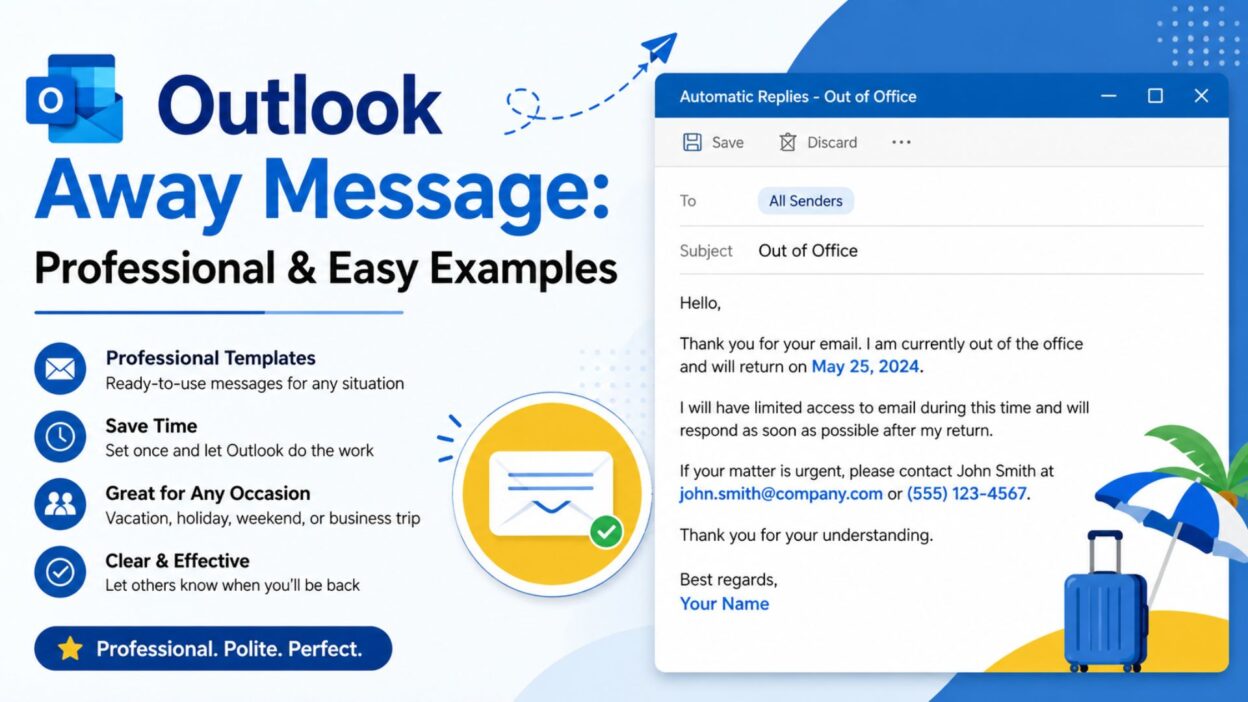
- When you step away from work, the last thing you want is to leave people wondering why you have not replied. A well-written Outlook away message gives people a quick answer while keeping your communication professional and clear.
- Whether you are taking a vacation, enjoying a long weekend, attending an event, or simply taking personal time, the right message can set expectations without sounding cold or overly formal.
- Your Outlook automatic reply does not need to be complicated. A few thoughtful words can tell people when you are unavailable, when you will return, and who they should contact if something needs immediate attention.
- Below, you will find professional, friendly, short, and easy-to-copy Outlook away messages for different situations. Choose one that fits your personality and workplace, then adjust the dates or contact details before using it.
Top Outlook Away Messages
- These Outlook away messages work well when you want to sound professional while still keeping your reply warm and natural.
- “Thank you for your email. I’m currently away from the office and will respond as soon as possible after I return.”
- “Thanks for reaching out. I’m currently out of the office and will have limited access to email. I’ll get back to you when I return.”
- “I’m currently away from the office and unavailable to respond immediately. Thank you for your patience, and I’ll reply as soon as I’m back.”
- “Thank you for your message. I’m away from the office until [date] and will respond to your email after I return.”
- “I’m currently out of the office and taking some time away from email. I’ll respond to your message when I’m back.”
- “Thanks for your email. I’m away right now and may not be able to check messages regularly. I’ll get back to you as soon as I can.”
- “I’m currently unavailable and will have limited access to email. For anything that can wait, I’ll respond when I return.”
- “Thank you for getting in touch. I’m away from the office and will return on [date]. I appreciate your patience while I’m away.”
- “I’m currently out of the office. I’ll review your message and respond as soon as possible once I’m back.”
- “Thanks for your message. I’m taking some time away from work and will respond after I return on [date].”
- “I’m away from the office at the moment and unable to respond as quickly as usual. I’ll be in touch when I return.”
- “Thank you for contacting me. I’m currently away and will have limited access to email until [date]. I’ll respond when I’m back.”
- “I’m currently out of the office and unavailable until [date]. I’ll respond to your email as soon as possible after my return.”
- “Thanks for reaching out. I’m away from my desk and taking a short break from email. I’ll reply once I’m available again.”
- “I’m currently away and may not be able to respond during this time. Thank you for understanding, and I’ll get back to you soon.”
- “Thank you for your email. I’m out of the office and will return on [date]. I’ll respond to your message shortly after I’m back.”
- “I’m currently unavailable due to being away from the office. I appreciate your message and will respond when I return.”
- “Thanks for contacting me. I’m away from the office with limited email access and will respond as soon as I’m available.”
- “I’m currently out of the office and checking email only occasionally. I’ll get back to you once I return.”
- “Thank you for reaching out. I’m away at the moment, but I’ll make sure to respond to your message when I’m back.”
Short Outlook Away Messages
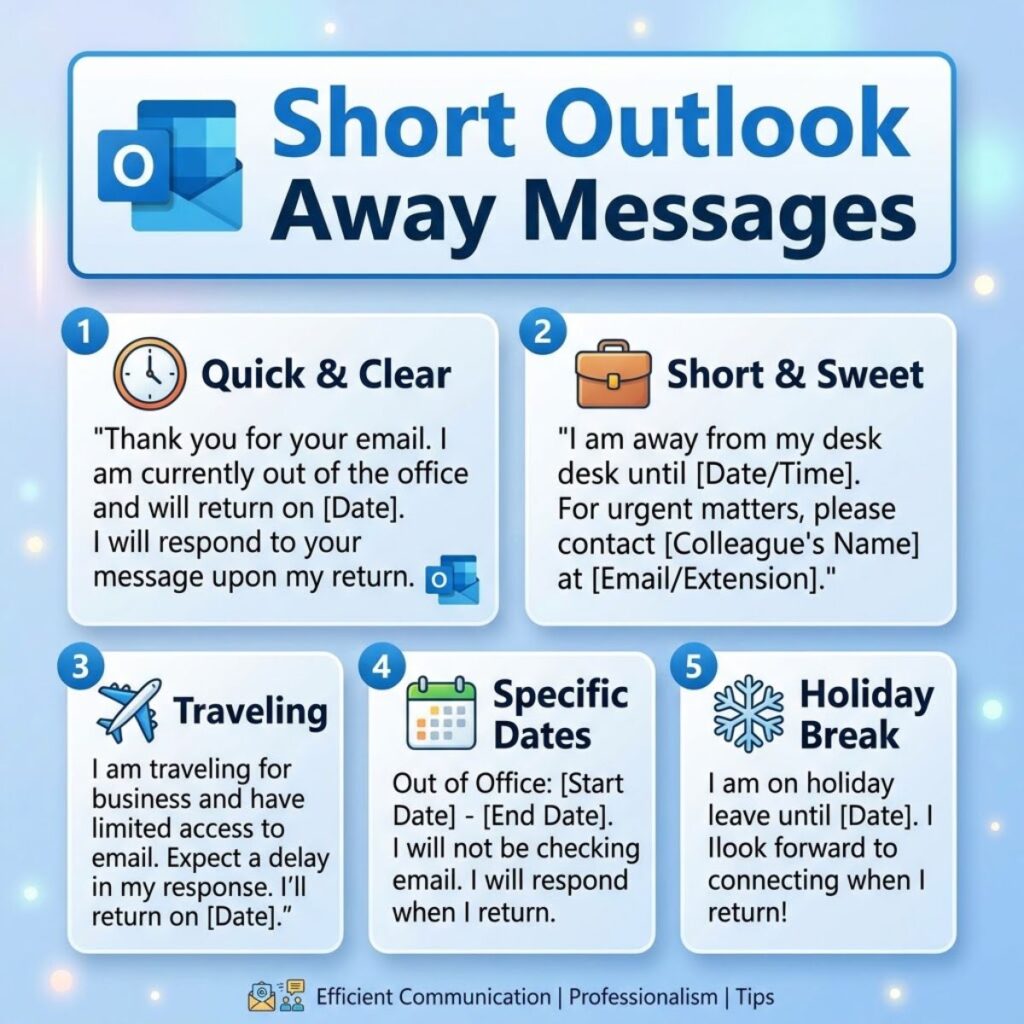
- These shorter options are useful when you want your automatic reply to be direct, simple, and easy to read.
- “I’m currently out of the office and will reply when I return.”
- “Thanks for your email. I’m away until [date].”
- “I’m currently away from the office. I’ll respond when I’m back.”
- “Out of the office until [date]. I’ll reply as soon as possible after I return.”
- “Thanks for reaching out. I’m currently unavailable but will respond soon.”
- “I’m away from email right now. I’ll get back to you when I return.”
- “Currently out of the office. Thank you for your patience.”
- “I’m away and will have limited access to email until [date].”
- “Thanks for your message. I’ll respond after I return to the office.”
- “I’m currently unavailable and will reply when I’m back.”
- “Away from the office today. I’ll respond as soon as I can.”
- “I’m taking some time away from work and will reply when I return.”
- “Out of office for a short break. I’ll be in touch soon.”
- “I’m currently away and will respond after [date].”
- “Thank you for your email. I’ll reply as soon as I’m available.”
- “I’m away from the office and may be slow to respond.”
- “Currently unavailable. I’ll get back to you when I return.”
- “I’m out of the office with limited email access until [date].”
- “Thanks for your patience. I’ll respond when I’m back.”
- “Away right now. I’ll reply as soon as possible.”
Best Outlook Away Messages for Sharing
- These messages are ideal when you want to include useful information, such as your return date or an alternative contact, without making the automatic reply too long.
- “Thank you for your email. I’m currently out of the office until [date]. I’ll respond after I return. If your request is urgent, please contact [Name] at [email].”
- “Thanks for reaching out. I’m away from the office until [date] and will have limited access to email. For urgent matters, please contact [Name].”
- “I’m currently on vacation and will return on [date]. I’ll review your email when I’m back. If you need immediate assistance, please contact [Name] at [email].”
- “Thank you for contacting me. I’m unavailable until [date]. I’ll respond to your message as soon as possible after I return. For urgent requests, please reach out to [Name].”
- “I’m away from the office and will return on [date]. During this time, I may not be checking email regularly. Please contact [Name] if you need immediate assistance.”
- “Thanks for your message. I’m currently out of the office and will return on [date]. I’ll respond as soon as I can after my return. For urgent issues, please contact [Name].”
- “I’m taking time away from work and will have limited access to email until [date]. I’ll get back to you once I return. For immediate assistance, please contact [Name].”
- “I’m currently unavailable and will return on [date]. Your message is important to me, and I’ll respond as soon as possible. Please contact [Name] for urgent matters.”
- “Thank you for your email. I’m away from the office until [date]. I’ll review your message upon my return. If you need help sooner, [Name] can assist you at [email].”
- “I’m currently out of the office and will be back on [date]. Email access will be limited while I’m away. For urgent matters, please contact [Name].”
- “Thanks for getting in touch. I’m away until [date] and will respond once I’m back. If your matter requires immediate attention, please reach out to [Name].”
- “I’m unavailable until [date] and will have limited access to email. Thank you for your understanding. For urgent requests, please contact [Name] at [email].”
- “I’m currently away from the office and will return on [date]. I’ll respond to all messages as soon as possible after my return. For urgent assistance, please contact [Name].”
- “Thank you for your message. I’m away from work until [date] and will reply when I return. If you need assistance before then, please contact [Name] at [email].”
- “I’m currently out of the office. I’ll return on [date] and respond to your email shortly afterward. For anything urgent, please contact [Name].”
- “Thanks for your email. I’m away until [date] with limited access to messages. I’ll respond when I return. For immediate help, please contact [Name].”
- “I’m taking a short break from the office and will return on [date]. I’ll review your email when I’m back. Please contact [Name] for urgent matters.”
- “I’m currently unavailable and will return on [date]. I appreciate your patience and will respond as soon as I’m back. Urgent requests can be directed to [Name].”
- “Thank you for reaching out. I’m out of the office until [date] and may not see your message right away. For urgent assistance, please contact [Name] at [email].”
- “I’m away from the office until [date]. I’ll respond to your email after I return. If your request cannot wait, please contact [Name] for assistance.”
One-Line Outlook Away Messages
- These one-line options keep your Outlook away message short while still making your availability clear.
- “I’m currently away from the office and will respond when I return.”
- “Out of the office until [date], and I’ll reply when I’m back.”
- “I’m away right now and will respond as soon as I’m available.”
- “Thanks for your message; I’ll get back to you after my return.”
- “Currently away from email, but I’ll respond as soon as possible.”
- “I’m out of the office and will reply after [date].”
- “Away from work for now; I’ll respond when I return.”
- “I’m currently unavailable and will be back on [date].”
- “Out of office today; I’ll get back to you as soon as I can.”
- “I’m away with limited email access until [date].”
- “Thanks for reaching out; I’ll respond once I’m back in the office.”
- “I’m taking time away from work and will reply when I return.”
- “Currently unavailable, but your message will be answered after my return.”
- “I’m away from the office and will reconnect after [date].”
- “Out of office for now; thank you for your patience.”
- “I’m currently away and may be slower than usual to respond.”
- “I’ll be back on [date] and will respond to your email then.”
- “Thanks for your email; I’ll reply as soon as I’m back.”
- “I’m unavailable until [date] and will respond afterward.”
- “Away from my desk and checking email only occasionally.”
Professional Outlook Away Messages
- A professional Outlook away message should sound polished without becoming overly formal. These options work well for coworkers, clients, customers, and business contacts.
- “Thank you for your email. I am currently out of the office and will return on [date]. I will respond to your message as soon as possible after my return.”
- “Thank you for contacting me. I am away from the office until [date] and have limited access to email. I appreciate your patience and will respond when I return.”
- “I am currently unavailable and will return to the office on [date]. During this time, I may not be able to respond to emails promptly. I will follow up upon my return.”
- “Thank you for reaching out. I am currently out of the office and will have limited access to email. I will review your message and respond as soon as I am available.”
- “I am away from the office through [date]. Your message has been received, and I will respond as soon as possible after I return.”
- “Thank you for your message. I am currently unavailable and will return on [date]. For urgent matters, please contact [Name] at [email].”
- “I am currently out of the office with limited access to email. I will return on [date] and respond to your message as soon as possible.”
- “Thanks for contacting me. I am away from the office and will return on [date]. I appreciate your understanding and will respond upon my return.”
- “I am currently away and unable to respond to emails immediately. I will review your message when I return to the office on [date].”
- “Thank you for your email. I am unavailable until [date]. If your matter requires immediate attention, please contact [Name] at [email].”
- “I am currently out of the office and checking messages only occasionally. I will respond to your email after I return on [date].”
- “Thank you for getting in touch. I am away from work until [date] and will respond to your message once I am back.”
- “I am currently unavailable due to being away from the office. I will return on [date] and address your email as soon as possible.”
- “Thanks for your message. I am out of the office until [date] and may not be able to respond during this period. I will follow up after my return.”
- “I am away from the office and will have limited access to email until [date]. Thank you for your patience while I am away.”
Friendly Outlook Away Messages
- If your workplace has a relaxed culture, a friendly message can make your automatic reply feel more personal without losing professionalism.
- “Thanks for your email! I’m currently away from the office and will get back to you when I return.”
- “Hi! Thanks for reaching out. I’m away for a little while and will reply as soon as I’m back.”
- “Thanks for stopping by my inbox! I’m currently away and will catch up with your message when I return.”
- “I’m taking a little time away from work and will be back on [date]. I’ll reply as soon as I’m back.”
- “Thanks for your message! I’m away from the office right now, but I’ll get back to you after I return.”
- “I’m currently enjoying some time away from work. I’ll check your message when I’m back on [date].”
- “Thanks for reaching out! I’m away until [date] and will respond once I’m back in the office.”
- “Hello! I’m currently out of the office and taking a short break from email. I’ll be in touch when I return.”
- “Thanks for your email. I’m away right now, so my response may take a little longer than usual.”
- “I’m stepping away from my inbox for a bit. Thanks for your patience, and I’ll reply when I’m back.”
- “Thanks for getting in touch! I’m currently away and will catch up with your email after [date].”
- “I’m out of the office for a little while and will be happy to respond once I’m back.”
- “Thanks for your patience! I’m away from work and will return on [date]. I’ll reply then.”
- “I’m currently taking some well-earned time away from the office. I’ll respond when I’m back.”
- “Thanks for dropping me a message! I’m away at the moment and will get back to you soon.”
- “I’m away from my desk for now. I’ll catch up with your message once I’m back.”
- “Thanks for reaching out! I’m offline for a little while and will respond after I return.”
- “I’m taking a short break from email. Thanks for understanding, and I’ll be back in touch soon.”
Vacation Outlook Away Messages
- Vacation is one of the most common reasons to turn on automatic replies. These messages clearly communicate that you are enjoying time away while setting expectations for your return.
- “Thank you for your email. I’m currently on vacation and will return on [date]. I’ll respond to your message as soon as possible after I return.”
- “I’m currently enjoying some time away and will have limited access to email until [date]. I’ll get back to you when I return.”
- “Thanks for your message. I’m out of the office on vacation until [date]. I’ll respond once I’m back and settled in.”
- “I’m taking a break from work and will return on [date]. During my vacation, I may not be checking email regularly.”
- “Thank you for reaching out. I’m away on vacation until [date] and will respond to your email after I return.”
- “I’m currently away enjoying some time off. I’ll be back on [date] and will respond to your message then.”
- “Thanks for your email! I’m on vacation and taking a break from my inbox. I’ll get back to you when I return on [date].”
- “I’m away from the office on vacation and will have limited email access. I’ll respond as soon as possible after [date].”
- “I’m currently taking some time off and will return to the office on [date]. Thanks for your patience while I’m away.”
- “I’m out of the office enjoying a short break and will respond to your email after I return on [date].”
Weekend Outlook Away Messages
- A weekend away message can be more relaxed, especially when you want to let people know that you will answer on the next business day.
- “Thanks for your email. I’m currently away for the weekend and will respond on the next business day.”
- “I’m away from the office for the weekend and will get back to you when I return.”
- “Thanks for reaching out. I’ll be away this weekend and will respond when I’m back on Monday.”
- “I’m currently offline for the weekend. I’ll check your message when I return to work.”
- “Enjoying some time away from the inbox this weekend. I’ll respond when I’m back.”
- “I’m away from email for the weekend and will reply as soon as I’m back at work.”
- “Thanks for your message! I’m taking the weekend off and will respond on the next working day.”
- “I’m currently unavailable for the weekend. I’ll get back to you when I’m back in the office.”
- “I’m stepping away from work for the weekend and will respond when business hours resume.”
- “Thanks for your patience. I’m away this weekend and will reply when I return.”
Personal Leave Outlook Away Messages
- When you are taking personal time, you can keep the reason private while still giving contacts enough information about your availability.
- “Thank you for your email. I’m currently away from the office for personal time and will return on [date].”
- “I’m currently unavailable due to personal leave and will respond to your message after [date].”
- “Thanks for reaching out. I’m away from work for personal reasons and will respond when I return.”
- “I’m currently taking some personal time away from the office. I’ll get back to you as soon as I’m available.”
- “Thank you for your message. I’m away from the office until [date] and will respond after I return.”
- “I’m currently unavailable and taking personal time. I appreciate your patience and will reply when I’m back.”
- “I’m away from work for a short period and will have limited access to email. I’ll respond upon my return.”
- “Thanks for your email. I’m currently away for personal time and will be back on [date].”
- “I’m taking some time away from the office and will respond to messages when I return.”
- “I’m currently out of the office and unavailable until [date]. Thank you for your understanding.”
Holiday Outlook Away Messages
- Holiday messages can be warm and cheerful while still providing clear information about when you will respond.
- “Thank you for your email. I’m away from the office for the holiday and will return on [date]. I’ll respond when I’m back.”
- “Happy holidays! I’m currently out of the office and will respond to your message after [date].”
- “I’m taking some time away for the holiday and will have limited access to email. I’ll reply when I return.”
- “Thanks for reaching out. I’m away celebrating the holiday and will get back to you after I return.”
- “I’m currently out of the office for the holiday break. I’ll respond to your email when I’m back on [date].”
- “Wishing you a wonderful holiday! I’m away from the office and will respond once I return.”
- “I’m enjoying some holiday time away from work and will be back on [date]. Thanks for your patience.”
- “Thank you for your message. I’m taking a holiday break and will respond as soon as I return.”
- “I’m currently away for the holiday and may not be checking email regularly. I’ll be in touch after [date].”
- “Happy holidays! I’m away from my inbox for a short break and will reply when I’m back.”
Outlook Away Messages for Business Trips
- A business trip often means you are still working, but your response time may be slower. These messages communicate that clearly.
- “Thank you for your email. I’m currently traveling for business and may have limited access to email. I’ll respond as soon as possible.”
- “I’m currently away from the office on a business trip. My response may be delayed, but I’ll get back to you as soon as I can.”
- “Thanks for reaching out. I’m traveling for work until [date] and will have limited availability. I’ll respond when possible.”
- “I’m currently out of the office for business travel and may be slower than usual to respond. Thank you for your patience.”
- “I’m traveling for work and will have limited access to my inbox. I’ll review your message as soon as I’m available.”
- “Thank you for contacting me. I’m away on business until [date] and will respond to your email as soon as my schedule allows.”
- “I’m currently traveling for work and may not be able to respond immediately. I’ll get back to you as soon as possible.”
- “Thanks for your message. I’m on a business trip and will have limited time for email until [date].”
- “I’m away from my usual office while traveling for work. I’ll respond as soon as I have an opportunity.”
- “I’m currently traveling for business and appreciate your patience if my response takes longer than usual.”
Outlook Away Messages for Busy Periods
- Sometimes you are not completely away, but you still need more time to respond. These messages can help manage expectations during especially busy periods.
- “Thanks for your email. I’m currently handling a high volume of messages, so my response may take longer than usual.”
- “I’m currently working through a busy period and may need additional time to respond. Thank you for your patience.”
- “Thank you for reaching out. I’m currently managing a busy schedule and will respond as soon as possible.”
- “I’m currently focused on several time-sensitive priorities, so email responses may be delayed.”
- “Thanks for your patience. I’m working through my inbox and will respond as soon as I’m able.”
- “I’m currently experiencing a higher-than-usual volume of emails. I appreciate your patience while I work through them.”
- “I’m currently focused on important projects and may be slower than usual to respond. I’ll get back to you as soon as possible.”
- “Thank you for your understanding. I’m working through a particularly busy period and will respond as soon as I can.”
- “My response may take a little longer than usual while I work through current priorities. Thank you for your patience.”
- “I’m currently catching up on a busy inbox and will respond to your message as soon as possible.”
Best Outlook Away Messages for Captions
- These shorter Outlook away messages can also work as status updates, captions, or quick notices when you want to let people know you are temporarily unavailable.
- “Out of office, taking a little time to recharge. I’ll be back soon.”
- “Stepping away from the inbox and enjoying some time offline.”
- “Currently away from work, but I’ll be back and catching up soon.”
- “Taking a break from emails. I’ll reconnect when I’m back.”
- “Offline for a while. Thanks for your patience!”
- “Out of office and making the most of some well-earned time away.”
- “Away from the desk, enjoying a little breathing room. See you soon!”
- “Inbox paused. I’ll be back to messages after [date].”
- “Taking some time away from work and returning with a fresh inbox.”
- “Currently unavailable, but I’ll catch up with you when I’m back.”
- “A little time away from the inbox can do wonders. I’ll be back soon.”
- “Out of office for now. I’ll return to emails after [date].”
- “Taking a short break from work and enjoying some offline time.”
- “Away today, back soon, and ready to catch up.”
- “My inbox can wait for a little while. I’ll respond when I return.”
Copy-Paste Ready Outlook Away Messages
- These templates are designed to make setup easier. Replace the bracketed details with your own dates, names, or contact information before using them.
- “Thank you for your email. I’m currently out of the office from [start date] through [end date]. I’ll return on [return date] and respond to your message as soon as possible. For urgent matters, please contact [Name] at [email].”
- “Thanks for reaching out. I’m currently away from the office and will return on [date]. I’ll have limited access to email during this time. If you need immediate assistance, please contact [Name].”
- “Hello, and thank you for your message. I’m currently on vacation and will return on [date]. I’ll review your email when I’m back. For urgent requests, please contact [Name] at [email].”
- “Thank you for contacting me. I’m unavailable until [date] and may not be checking email regularly. I’ll respond as soon as possible after my return. For immediate assistance, please contact [Name].”
- “Hi, thanks for your email. I’m away from the office until [date]. I’ll get back to you once I return. If your request is urgent, please reach out to [Name] at [email].”
- “Thank you for your message. I’m currently away for personal time and will return on [date]. I appreciate your patience and will respond when I’m back.”
- “Thanks for reaching out. I’m currently traveling for work and may have limited access to email. I’ll respond as soon as my schedule allows.”
- “I’m currently out of the office and will return on [date]. During my absence, please contact [Name] at [email] for urgent matters. Otherwise, I’ll respond when I’m back.”
- “Thank you for your email. I’m taking some time away from work and will have limited access to my inbox until [date]. I’ll respond after I return.”
- “I’m currently unavailable and will be back on [date]. Your message is important to me, and I’ll review it as soon as I return. Thank you for your understanding.”
How to Make an Outlook Away Message Better
- A good automatic reply should answer the basic questions people have when they receive it. Keep the information useful rather than filling the message with unnecessary details.
- Mention when you will return. Giving a specific return date helps people decide whether they should wait for your response or look for another solution.
- Set realistic expectations. If you will have limited access to email, say so. This prevents people from expecting an immediate response while you are away.
- Add an alternative contact when necessary. If coworkers or clients may need help before you return, include the appropriate person’s name and email address.
- Keep private information private. You do not need to explain why you are away. “I’m currently out of the office” is often enough.
- Match your workplace tone. A formal business environment may call for a polished message, while a relaxed team may prefer something warmer and more conversational.
- Avoid promising an exact response time unless you can keep it. Saying “I’ll respond when I return” is safer than promising to reply immediately.
- Keep the message easy to scan. Short sentences and clear information make automatic replies more useful for busy readers.
Outlook Away Message Template for Most Situations
- If you want one reliable template that works for vacation, personal leave, holidays, or general time away, this format is a strong starting point.
- “Thank you for your email. I’m currently out of the office and will return on [date]. I’ll have limited access to email during this time and will respond as soon as possible after I return. For urgent matters, please contact [Name] at [email]. Thank you for your patience and understanding.”
FAQ About Outlook Away Messages
What is an Outlook away message?
- An Outlook away message is an automatic reply that lets people know you are unavailable or away from your normal work schedule. It can include your return date, expected response time, and an alternative contact.
What should I include in an Outlook away message?
- A useful message usually includes your availability, return date, expected response timing, and an alternative contact if someone else can handle urgent requests.
Should I include the reason I am away?
- No. You can keep the reason private. A simple statement such as “I’m currently out of the office” gives people the information they need without sharing personal details.
How long should an Outlook away message be?
- Keep it concise enough to scan quickly. For most situations, a few clear sentences are enough. If you need to provide an alternative contact, include that information without adding unnecessary details.
Can I make my Outlook away message friendly?
- Yes. Your automatic reply does not have to sound overly formal. A warm greeting, a simple thank-you, and a clear return date can make the message feel professional and approachable.
Conclusion
- The best Outlook away message does more than announce that you are unavailable. It gives people clarity, sets realistic expectations, and helps prevent unnecessary follow-up emails while you are away.
- Whether you need a professional message for clients, a friendly note for coworkers, or a short automatic reply for a weekend break, the right wording can make your absence feel much more organized.
- You also do not need to explain every detail about your time away. In most cases, a clear return date, limited-access notice, and alternative contact are all the information someone needs.
- Take a moment to choose a message that matches your workplace and situation. Then personalize the dates and contact details before turning on your automatic reply.
- Save your favorite templates so you do not have to write a new response every time you take a vacation, holiday, personal day, or business trip.
- A thoughtful automatic reply lets you step away with confidence while keeping communication clear. The right Outlook away message gives you something valuable: time away without the pressure of constantly checking your inbox.

Awais Bilal is the author of Messagesfy, sharing simple and meaningful messages, quotes, and wishes to help people express their feelings easily.