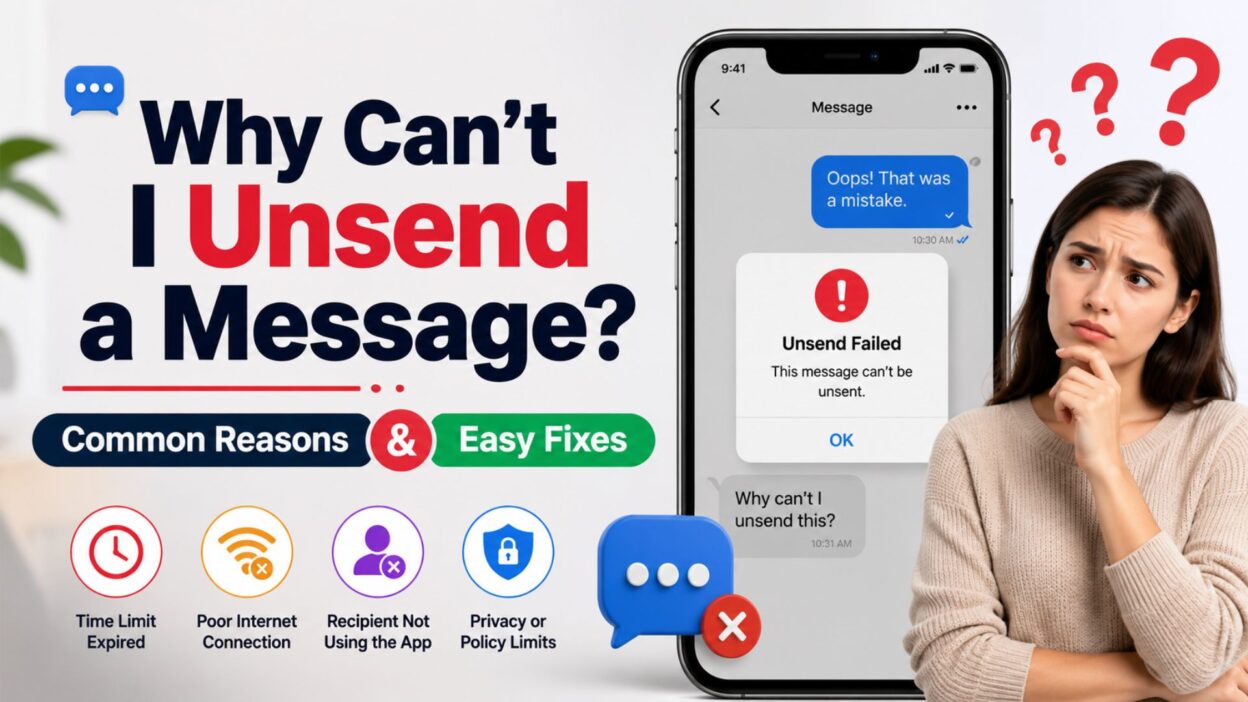
We’ve all been there—you send a message, immediately regret it, and rush to remove it before the other person reads it. Unfortunately, instead of seeing an Unsend button, you might find that the option is missing or simply doesn’t work. If you’ve been wondering, “Why can’t I unsend a message?”, you’re not alone.
The ability to unsend a message depends on the messaging app you’re using, how much time has passed, your device’s software version, and whether both you and the recipient meet the app’s requirements. In some cases, the message has already been delivered or the allowed time window has expired, making it impossible to remove.
This guide explains the most common reasons you can’t unsend a message, how the feature works across popular messaging apps, and the steps you can take to fix the problem or prevent it from happening again.
Top Reasons Why You Can’t Unsend a Message
If the Unsend option isn’t available, one of these common reasons is usually responsible.
- The app’s time limit for unsending the message has already expired.
- Your messaging app doesn’t support the Unsend feature.
- You’re using an outdated version of the app.
- Your phone’s operating system needs an update.
- The message was sent as a regular SMS instead of an internet message.
- The conversation is using a messaging format that doesn’t support unsending.
- Your internet connection is unstable.
- The recipient may already have received or viewed the message.
- Both users don’t meet the app’s requirements for message unsending.
- The feature hasn’t been released in your region yet.
- You’re trying to unsend a message in a group chat with different rules.
- Your account has temporary syncing issues.
- The message is too old to remove.
- The app is experiencing a temporary server problem.
- You’re using an older device that doesn’t support the latest features.
- The message was sent using a third-party messaging service.
- The chat hasn’t fully synchronized across devices.
- Your app permissions or settings are causing unexpected issues.
- The message has already been permanently delivered.
- The messaging platform only allows deleting the message for yourself.
Common Fixes for “Why Can’t I Unsend a Message?”
Before assuming the feature is unavailable, try these simple troubleshooting steps.
- Check whether your messaging app supports message unsending.
- Update the app to the latest version.
- Install the newest operating system update available for your device.
- Verify that you’re connected to Wi-Fi or mobile data.
- Restart your phone and try again.
- Close and reopen the messaging app.
- Confirm that the message was sent through the supported messaging service.
- Try unsending the message as quickly as possible after sending it.
- Sign out of the app and sign back in.
- Clear the app cache if you’re using Android.
- Make sure automatic date and time settings are enabled.
- Check whether the feature is available in your country.
- Review the app’s help page for feature limitations.
- Ask the recipient if they have already seen the message.
- If unsending isn’t possible, send a follow-up correction or apology.
Best Tips to Avoid Sending the Wrong Message
While you can’t always unsend a message, these habits can help prevent mistakes.
- Double-check the recipient before tapping Send.
- Read your message one more time before sending it.
- Avoid sending important messages when you’re distracted.
- Turn on message previews to catch errors quickly.
- Pause for a few seconds before sending emotional messages.
- Use the Edit feature if your messaging app supports it.
- Save drafts for important conversations.
- Avoid multitasking while texting.
- Confirm attachments before sending.
- Review voice-to-text messages for errors.
- Keep your messaging apps updated.
- Learn the time limits for your favorite messaging app.
- Use internet messaging instead of SMS when possible.
- Check your internet connection before sending.
- Be familiar with your app’s delete and unsend options.
Why You Can’t Unsend a Message on iPhone
If you’re using an iPhone, the Unsend feature is only available under specific conditions. If any requirement isn’t met, the option may not appear.
- Your iPhone isn’t running a supported version of iOS.
- The message was sent as an SMS (green bubble) instead of an iMessage (blue bubble).
- More than the allowed time to unsend the message has passed.
- The recipient is using an older Apple device that doesn’t support the feature.
- Your internet connection was interrupted.
- iMessage isn’t enabled on your device.
- Apple ID synchronization is temporarily delayed.
- You’re trying to unsend a message from an unsupported conversation.
- Your device hasn’t finished syncing recent messages.
- The Messages app needs to be restarted after an update.
How to Fix It
Try these steps if you can’t unsend an iMessage.
- Update your iPhone to the latest version of iOS.
- Confirm the message is blue (iMessage), not green (SMS).
- Make sure iMessage is turned on in Settings.
- Connect to a stable Wi-Fi or cellular network.
- Restart the Messages app or your iPhone.
- Try unsending the message before the allowed time expires.
- Check whether Apple services are working normally.
Why You Can’t Unsend a Message on Android
Android phones use different messaging apps, so the availability of the Unsend feature depends on the app you’re using.
Common reasons include:
- Your messaging app doesn’t support message unsending.
- The message was sent as SMS or MMS.
- RCS Chat isn’t enabled.
- The app is outdated.
- The feature isn’t available in your version of the app.
- Your device isn’t connected to the internet.
- The recipient is using a messaging service that doesn’t support message removal.
- A temporary sync issue is preventing the feature from appearing.
How to Fix It
- Update Google Messages or your preferred messaging app.
- Enable RCS Chat Features if supported.
- Verify your internet connection.
- Restart your device.
- Check that both sender and recipient are using compatible messaging services.
- Install the latest Android software update.
- Try deleting the message as soon as possible after sending it.
Why You Can’t Unsend Messages on Popular Apps
Different messaging apps have different rules. Knowing those rules can save time and frustration.
Apple Messages (iMessage)
- Unsend is only available for iMessages.
- SMS text messages cannot be unsent.
- There is a limited time window to remove a message.
- Both users should be using compatible Apple software for the best experience.
- The “Delete for Everyone” option has a time limit.
- Older messages may only allow “Delete for Me.”
- Internet connectivity can affect message removal.
- Both users should have updated versions of WhatsApp.
Facebook Messenger
- Messenger supports message removal, but timing matters.
- Older app versions may not display the option.
- Temporary server issues can delay changes.
Instagram Direct Messages
- You can unsend messages in supported chats.
- Poor internet connectivity may delay the removal.
- Closing the app before synchronization finishes can sometimes cause problems.
Google Messages
- Message removal depends on whether you’re using RCS Chat or SMS.
- SMS messages generally cannot be unsent.
- RCS features must be enabled on supported devices.
Quick Troubleshooting Checklist
Before contacting support, work through this checklist.
- Confirm you’re using a supported messaging app.
- Make sure your app is fully updated.
- Check for software updates on your device.
- Verify you’re connected to the internet.
- Confirm the message was sent using a supported messaging format.
- Try again within the app’s allowed time limit.
- Restart your phone.
- Sign out and sign back into the messaging app if possible.
- Check whether the messaging service is experiencing an outage.
- Test the feature with a new message to see if the issue continues.
Tips to Prevent Future Messaging Mistakes
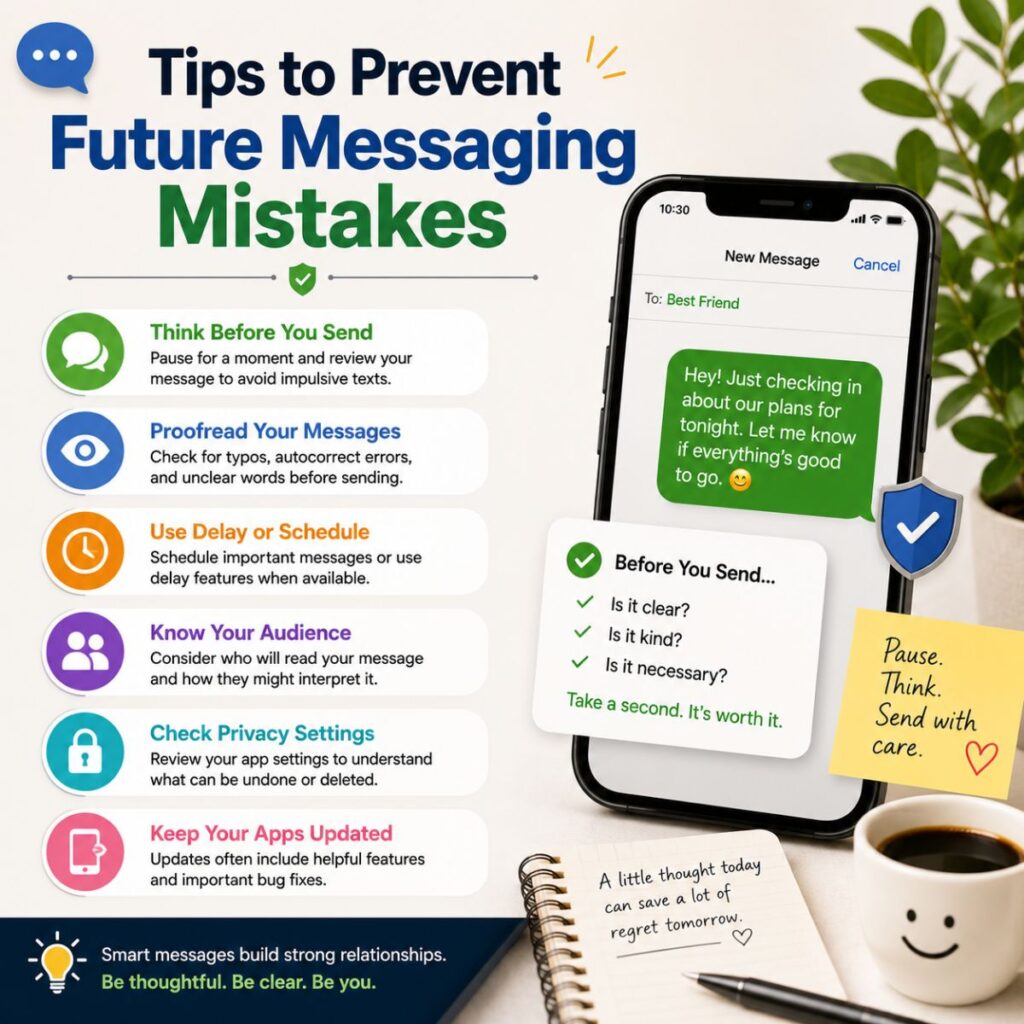
Even if you can’t unsend a message, these habits can help you avoid sending the wrong one.
- Read every message before tapping Send.
- Double-check the recipient’s name.
- Wait a few seconds before sending emotional messages.
- Review photos and attachments before sharing.
- Use message editing features whenever available.
- Keep messaging apps updated regularly.
- Learn the time limits for editing or unsending messages.
- Turn on internet messaging features such as iMessage or RCS when possible.
- Avoid sending important messages while multitasking.
- If you send something by mistake, follow up with a quick clarification instead of panicking.
Frequently Asked Questions
Why can’t I unsend a message on my iPhone?
If you can’t unsend a message on your iPhone, it’s usually because the message was sent as an SMS instead of an iMessage, the allowed time limit has expired, your iPhone isn’t updated, or iMessage isn’t enabled. Make sure you’re using a supported version of iOS and that the message is a blue-bubble iMessage.
Why is the Unsend option missing?
The Unsend option may not appear if:
- The app doesn’t support message unsending.
- You’re using an older version of the app.
- The message was sent too long ago.
- The message was sent as SMS or MMS.
- The conversation type doesn’t support the feature.
Updating your app and checking its messaging requirements can often solve the problem.
Can I unsend an SMS text message?
In most cases, no. Standard SMS and MMS text messages cannot be unsent after they’re delivered. The Unsend feature is typically available only for internet-based messaging services such as iMessage, RCS, WhatsApp, Messenger, and Instagram Direct, subject to each app’s rules.
How long do I have to unsend a message?
The time limit depends on the messaging app you’re using. Many messaging apps only allow you to unsend or delete a message for everyone within a limited time after it has been sent. Once that window expires, the message usually can’t be removed for the recipient.
What should I do if I can’t unsend a message?
If you can’t unsend the message, try these steps:
- Check for app updates.
- Update your phone’s operating system.
- Confirm you have a stable internet connection.
- Restart the messaging app.
- If removal isn’t possible, send a follow-up message to correct the mistake or apologize.
Common Errors Related to Message Unsend
These issues are frequently reported when people try to unsend a message.
- The Unsend button doesn’t appear.
- Only Delete for Me is available.
- The message has already been delivered.
- The message was sent as SMS instead of an internet message.
- The app crashes while attempting to remove the message.
- Changes don’t sync across devices.
- The feature isn’t available in your region.
- The message is too old to unsend.
- The recipient still sees the message.
- Network errors prevent the action from completing.
Quick Summary
If you’ve been asking, “Why can’t I unsend a message?”, the answer usually comes down to one of a few common reasons:
- The app’s time limit has expired.
- The message was sent as SMS instead of an internet message.
- Your app or device needs updating.
- The messaging service doesn’t support unsending.
- A network or synchronization issue is preventing the feature from working.
Checking these factors can often help you identify the cause and determine whether the message can still be removed.
Conclusion
Realizing you’ve sent the wrong message can be stressful, but it doesn’t always mean you’re out of options. Understanding why can’t I unsend a message helps you quickly identify whether the issue is related to your messaging app, device settings, internet connection, or the app’s time restrictions.
While many modern messaging platforms offer an Unsend feature, each has its own rules and limitations. Keeping your apps and operating system updated, using supported messaging services like iMessage or RCS, and acting quickly after sending a message can significantly improve your chances of removing it successfully.
If unsending isn’t possible, don’t worry. A simple follow-up message to clarify your mistake or apologize is often the best solution. By understanding how message unsending works and following the troubleshooting tips in this guide, you’ll be better prepared to avoid similar issues in the future.

Awais Bilal is the author of Messagesfy, sharing simple and meaningful messages, quotes, and wishes to help people express their feelings easily.