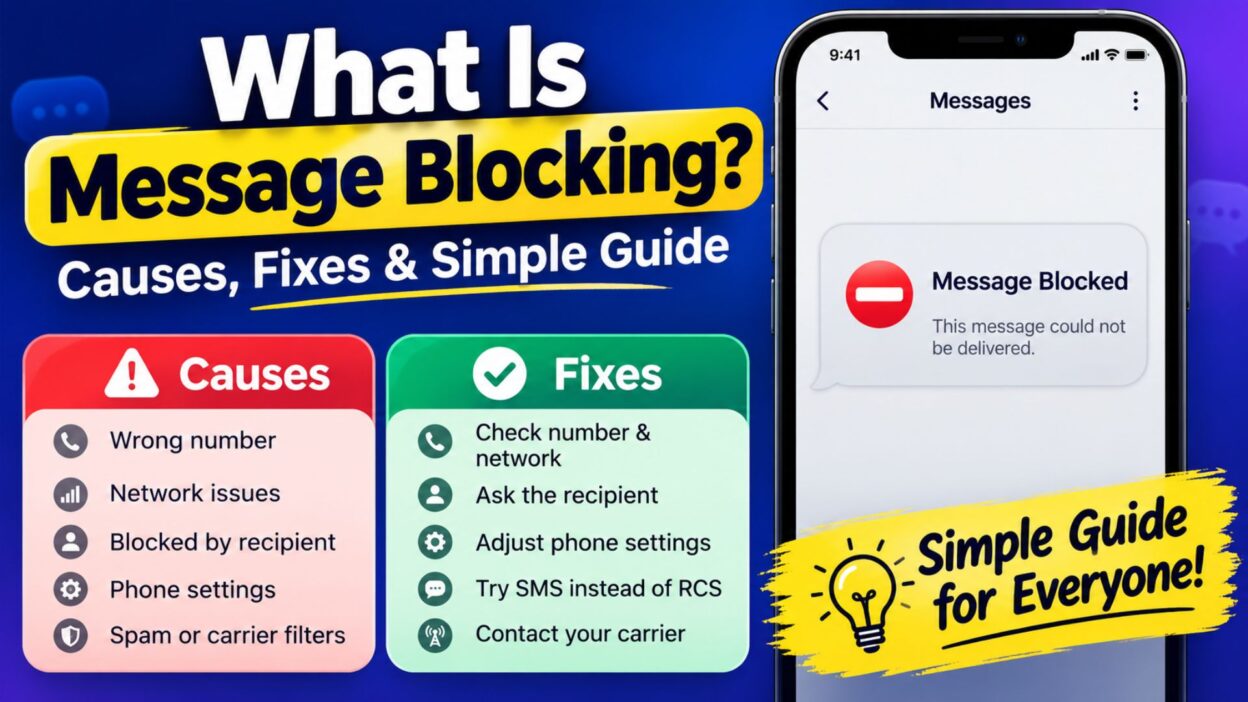
Have you ever tried to send a text and suddenly received a message saying that message blocking is active? It can be frustrating, especially when you are sure the phone number is correct and your messaging app normally works. If you are wondering what is message blocking, the simple answer is that a carrier, phone, account setting, or messaging service may prevent a text from going through.
Message blocking does not always mean that someone intentionally blocked your number. In fact, several different issues can trigger it. Your carrier may restrict certain messages, your account may have a service limitation, or your phone may have a messaging setting that interferes with delivery. Sometimes, the problem can also come from the recipient’s number or network.
Fortunately, you can usually narrow down the cause by checking a few basic things. This guide explains what message blocking means, the common reasons it appears, and the first steps you can take to get texting working again.
What Is Message Blocking?
Message blocking is a restriction that prevents certain text messages from being sent or received. The restriction can come from your mobile carrier, account settings, phone configuration, or the messaging service itself.
For example, you may type a normal text, tap send, and then receive an error instead of seeing the message delivered. The exact wording can vary between carriers and devices. Nevertheless, the basic issue remains the same: something is stopping the message from reaching its destination.
Message blocking can affect:
- SMS text messages
- MMS messages
- Messages sent to specific numbers
- Messages sent to certain types of numbers
- Messages sent while roaming
- Messages affected by account or carrier restrictions
Importantly, message blocking does not automatically mean the other person blocked you. That assumption can cause unnecessary confusion. Instead, check the phone, account, network, and number before reaching a conclusion.
What Does Message Blocking Mean on a Phone?
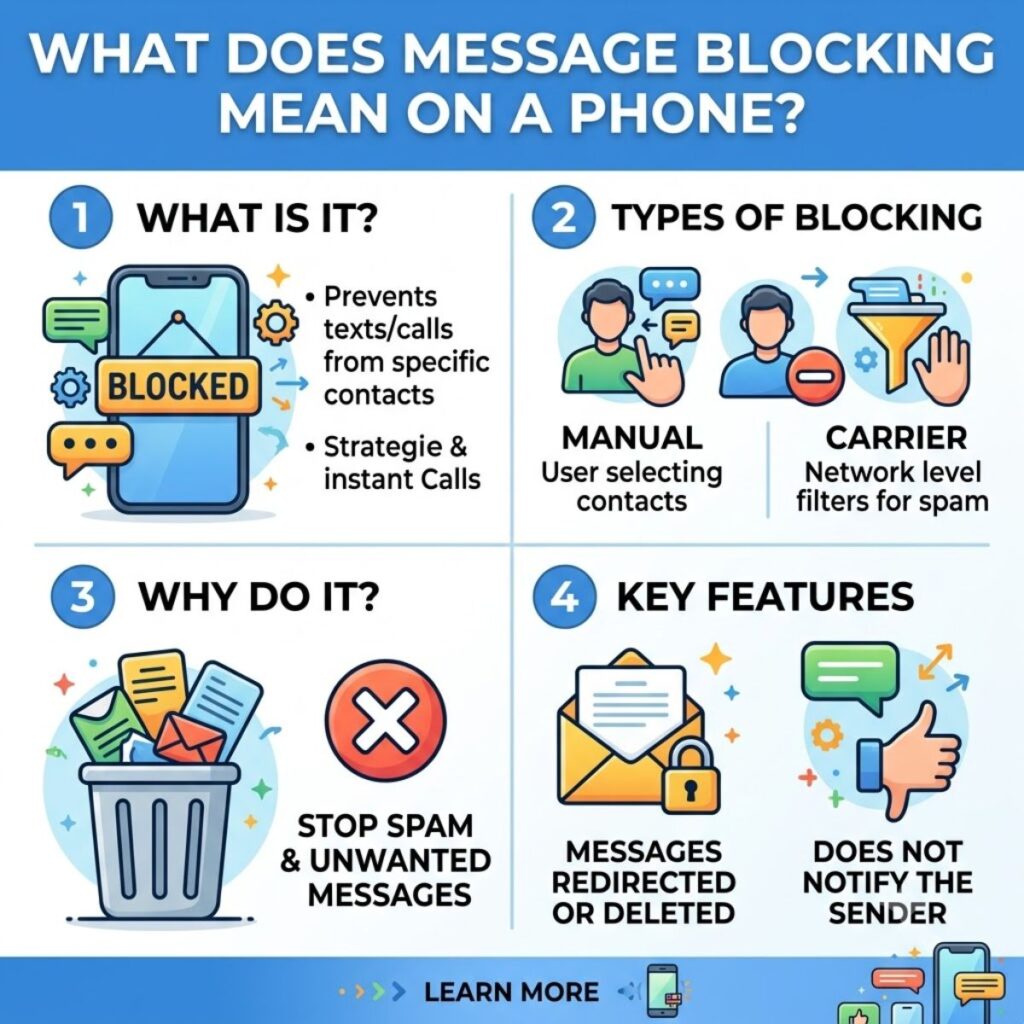
When message blocking appears on your phone, it generally means that the network or messaging system has prevented the message from being sent. The phone may display an error instead of completing the delivery.
Several situations can cause this problem:
- Your carrier may have restricted outgoing messages.
- Your mobile account may have a service problem.
- Your phone may have incorrect messaging settings.
- The recipient’s number may have restrictions.
- You may have entered the number incorrectly.
- Your phone may have a temporary network connection problem.
- Your plan may not support a particular type of message.
- A carrier-side issue may temporarily affect messaging.
Because several causes can produce similar errors, you should troubleshoot the problem step by step rather than assuming one specific cause.
Common Message Blocking Causes
Understanding the possible causes makes troubleshooting much easier. In most cases, you can identify the problem by checking your phone, account, and network connection.
Carrier Restrictions
Your mobile carrier controls many parts of SMS and MMS delivery. Therefore, a carrier-side restriction can prevent messages from leaving your phone.
This issue may occur because of account settings, service restrictions, billing problems, or carrier policies. If other phone functions work normally but your texts fail, your carrier may need to check the messaging service on your account.
Incorrect Phone Number
A simple number-entry mistake can also cause messaging problems. For example, you might accidentally leave out a digit or use an outdated number.
Before changing other settings, check the recipient’s phone number carefully. If possible, try sending a message to another contact as well.
Network Problems
Your phone needs a suitable cellular connection to send traditional SMS messages. Therefore, weak coverage or a temporary network problem can interfere with texting.
Try moving to an area with better signal strength. You can also briefly enable and disable Airplane Mode to refresh the cellular connection.
Account Problems
Sometimes the issue comes from the mobile account rather than the phone itself. A service restriction or account-related problem can prevent messaging even when the device appears to work normally.
If you recently changed your plan, switched carriers, replaced your SIM, or made another account change, consider contacting your carrier for assistance.
Messaging Settings
Your phone’s messaging configuration can also affect how messages travel. A setting may interfere with SMS, MMS, or another messaging service.
Check your messaging settings and make sure the service you want to use remains enabled. If you recently changed settings, consider returning them to their previous configuration.
How to Tell If Message Blocking Is Active
The easiest clue is usually an error that appears when you attempt to send a message. Your phone may show wording such as “message blocking is active” or another delivery-related notification.
However, the error alone does not tell you exactly why the restriction exists. You should look for other clues as well.
- Check whether you can send messages to other contacts.
- Check whether you can receive messages normally.
- Look at your cellular signal.
- Confirm the recipient’s number.
- Restart your phone.
- Check whether your mobile service works for calls and data.
- Review recent changes to your phone or mobile account.
- Contact your carrier if the problem continues.
For example, if you can text everyone except one person, the issue may involve that particular number or recipient. On the other hand, if you cannot send texts to anyone, your carrier, account, SIM, or phone settings deserve closer attention.
What Is Message Blocking When It Affects One Person?
If message blocking happens only when you text one particular person, the situation may differ from a general messaging problem. The recipient’s number, your contact settings, or carrier restrictions could play a role.
First, confirm that you have the correct number. Next, try sending a short SMS to another contact. If the second message works, you have stronger evidence that the issue relates to the original recipient or number.
Also, check whether you accidentally blocked the contact on your phone. Different devices offer different blocking and filtering options, so the exact steps depend on your phone model and operating system.
If everything looks correct on your device, contact your carrier. They can check whether a network or account restriction affects communication with that number.
What Is Message Blocking When You Cannot Text Anyone?
When every outgoing text fails, the problem may involve your mobile service rather than one specific contact. Therefore, start with basic checks before changing advanced settings.
- Check your cellular signal.
- Restart your phone.
- Toggle Airplane Mode on and off.
- Confirm that your SIM or eSIM works correctly.
- Check your mobile account.
- Make sure your messaging service remains active.
- Try sending a message after reconnecting to the network.
- Contact your carrier if the problem remains.
How to Fix Message Blocking
Once you understand what is message blocking, the next step is finding the cause and restoring normal texting. Start with the simplest checks, then move toward carrier or account troubleshooting if the problem continues.
Restart Your Phone
A simple restart can resolve temporary communication problems. Your phone reconnects to the mobile network after restarting, which may clear a short-term messaging error.
- Turn off your phone.
- Wait a few seconds.
- Turn it back on.
- Open your messaging app.
- Send a new text.
If the message sends normally afterward, the issue may have been temporary.
Check Your Cellular Signal
Traditional SMS messages depend on your carrier’s network. Therefore, a weak or unavailable cellular signal can interfere with sending texts.
Look at your signal indicator and move to an area with stronger coverage if necessary. Then, try sending the message again.
You can also refresh the connection:
- Turn on Airplane Mode.
- Wait about 10–15 seconds.
- Turn Airplane Mode off.
- Wait for your cellular network to reconnect.
- Try sending the text again.
Check the Recipient’s Number
Before changing your phone settings, make sure the recipient’s number is correct. A missing digit, incorrect country code, or outdated contact can prevent successful delivery.
If the person recently changed their phone number, update the contact information before trying again.
You can also type the number manually instead of selecting the saved contact. This quick test can help identify whether the saved contact information causes the problem.
Try Messaging Another Contact
Testing another number can quickly narrow down the problem.
- If messages fail for everyone, your phone, SIM, account, or carrier may be responsible.
- If messages work for other people, the original recipient’s number or settings may need attention.
- If only one type of message fails, the issue may involve SMS or MMS settings.
This simple test can save time because it helps you determine whether the problem is general or limited to one conversation.
Check Your Mobile Account
Your mobile account can affect your ability to send messages. Depending on your carrier and plan, account restrictions may interfere with SMS or MMS service.
Check whether:
- Your mobile service remains active.
- Your plan includes texting.
- Your account has any service restrictions.
- You recently changed your plan.
- You recently switched carriers.
- You recently replaced your SIM or eSIM.
If you notice an account-related issue, contact your carrier. The carrier can check your service status and determine whether a messaging restriction exists on the account.
Check If You Blocked the Contact
Sometimes the problem comes from your own phone settings. If you accidentally blocked a contact, messages and calls from that person may behave differently.
Open your phone’s blocked contacts or blocked numbers settings and look for the affected number. If you recognize it and did not intend to block it, remove the number from the blocked list.
However, remember that blocking settings vary between phones. The exact menu names can differ depending on the device and operating system.
Check SMS and MMS Settings
SMS and MMS use different messaging systems. Therefore, a problem with one type of message does not always affect the other.
If short text messages work but picture messages fail, check your MMS-related settings and cellular data connection. Some phones also require mobile data for MMS delivery.
Likewise, if regular SMS messages fail, focus first on your cellular service, SIM, carrier account, and SMS configuration.
Update Your Phone
An outdated phone system can sometimes cause compatibility or messaging problems. Therefore, check whether your device has a pending software update.
Before installing an update:
- Connect your phone to a stable network.
- Make sure the battery has enough charge.
- Back up important information if necessary.
- Install the available system update.
- Restart the phone afterward.
Then test your messaging service again.
Remove and Reinsert a Physical SIM
If your phone uses a physical SIM card, a connection problem between the SIM and device can affect cellular services.
If you are comfortable doing so, power off the phone and check that the SIM sits correctly in its tray. Reinsert it carefully and restart the device.
Do not force the SIM tray or card. If the SIM appears damaged, contact your carrier for a replacement.
For eSIM users, there is no physical card to remove. Instead, check your cellular settings or contact your carrier if the eSIM appears inactive.
Contact Your Mobile Carrier
If you have tried the basic fixes and still see a message blocking error, your carrier may need to investigate the issue.
This step becomes especially important when:
- You cannot send texts to anyone.
- Your account recently changed.
- Your SIM or eSIM was recently replaced.
- Calls or cellular data also have problems.
- Your phone shows a carrier-related error.
- The problem continues after restarting the device.
When contacting support, explain exactly what happens when you try to send a message. Tell them whether the issue affects one number or every contact. These details can help them identify the cause faster.
Can Message Blocking Be Caused by Your Carrier?
Yes. Your carrier can place restrictions on messaging services, and a carrier-side problem can also interfere with text delivery.
However, the exact cause depends on the carrier, account, device, and type of message involved. Therefore, you should not assume that every message blocking error comes from the carrier.
If your phone works normally but texting suddenly stops, contacting the carrier can help determine whether your account or network has a restriction.
Does Message Blocking Mean Someone Blocked You?
Not necessarily.
This is one of the most common misunderstandings about message blocking. Seeing a message-blocking error does not automatically prove that another person blocked your number.
Several other explanations can produce a similar result:
- Carrier restrictions
- Account problems
- Incorrect numbers
- Network issues
- SIM or eSIM problems
- Messaging settings
- Device configuration
- Recipient-side restrictions
Therefore, avoid jumping to conclusions based on the error alone. Test another contact and check your own service first.
Message Blocking vs. Being Blocked by Someone
These two situations are not always the same.
Message blocking describes a restriction that prevents a message from being sent or delivered.
Being blocked by another person means that the recipient has restricted communication from your number through a device, service, or platform.
The exact signs of personal blocking vary between phones and messaging services. In addition, some platforms do not clearly tell you when another user has blocked you.
As a result, a message-blocking notification by itself is not reliable proof that someone personally blocked you.
What Is Message Blocking on Android?
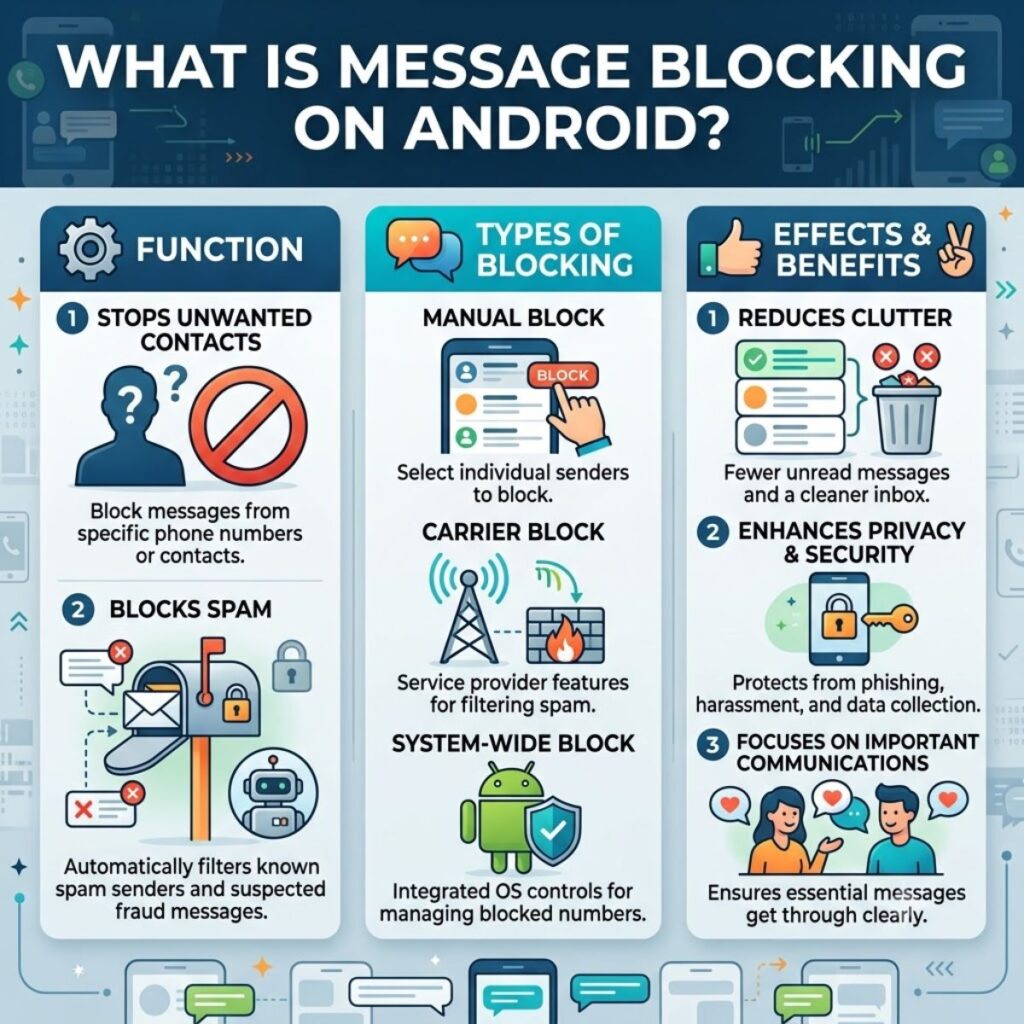
On Android phones, message blocking can result from several factors, including carrier restrictions, messaging settings, network problems, account issues, or blocked contacts.
Because Android devices come from different manufacturers, the exact settings can vary. A Samsung phone, Google Pixel, Motorola phone, or another Android device may use different menu names.
Start with the general troubleshooting steps:
- Restart the phone.
- Check cellular signal.
- Confirm the recipient’s number.
- Try another contact.
- Check blocked numbers.
- Review messaging settings.
- Check your mobile account.
- Contact your carrier if the issue continues.
This approach helps you identify whether the problem comes from the device or the mobile service.
What Is Message Blocking on iPhone?
On an iPhone, a messaging problem can involve cellular service, carrier restrictions, blocked contacts, account settings, or the messaging method being used.
iPhone users may also switch between different messaging systems depending on the recipient and available services. Therefore, a problem with one messaging method does not necessarily mean every messaging service has stopped working.
Try these basic checks:
- Confirm your cellular connection.
- Restart your iPhone.
- Check the recipient’s number.
- Test another contact.
- Review blocked contacts.
- Check your carrier service.
- Install available iOS updates.
- Contact your carrier if texts still fail.
If the issue affects only one person, focus on that contact and number first. If it affects every recipient, investigate your carrier service and account.
What to Do If Message Blocking Keeps Appearing
If the error returns after basic troubleshooting, keep track of what happens. Note whether the problem affects one person, several contacts, or every number you try.
Then check:
- Whether calls work.
- Whether cellular data works.
- Whether incoming texts arrive.
- Whether outgoing texts fail.
- Whether picture messages fail.
- Whether the issue started after a phone or SIM change.
- Whether the problem happens in different locations.
Best Messages for Captions About Message Blocking
If you are creating a quick tech-help post or social media caption about messaging problems, these short lines can help explain the issue clearly.
- Message blocking can have several causes, so check your settings before assuming the worst.
- Seeing a message blocking error does not always mean someone blocked you.
- When texts stop sending, check your network, number, account, and messaging settings.
- A simple restart can sometimes clear a temporary messaging problem.
- If every text fails, your carrier or mobile account may need attention.
- If only one contact causes the error, check that number first.
- Understanding the cause makes message blocking much easier to fix.
- Don’t panic when you see a message blocking notification; troubleshoot the basics first.
Copy-Paste Ready Troubleshooting Messages
These messages can help you explain a message-blocking problem to a friend, family member, or carrier support representative.
- “My texts are not going through, and I keep seeing a message blocking error. Can you help me check what might be causing it?”
- “I can make calls, but my text messages are not sending. Could there be a restriction on my messaging service?”
- “My messages work with some contacts but not one specific number. Can you help me figure out why?”
- “I recently changed my SIM, and now my texts are failing. Could you check whether my messaging service is active?”
- “I restarted my phone and checked the number, but I still cannot send messages. What should I try next?”
- “My phone shows that message blocking is active whenever I try to send a text. Can you check my account?”
- “I have a good cellular signal, but my messages still will not send. Could this be a carrier issue?”
- “I can receive texts, but I cannot send them. Can you check whether there is an outgoing messaging restriction?”
FAQ About What Is Message Blocking
What is message blocking?
Message blocking is a restriction that prevents certain text messages from being sent or received. The cause can involve your carrier, account, phone settings, network, SIM, or a specific number.
Does message blocking mean someone blocked my number?
No. A message-blocking error does not automatically mean another person blocked you. Carrier restrictions, account problems, network issues, incorrect numbers, and device settings can also cause the problem.
Why does message blocking happen?
Message blocking can happen because of carrier restrictions, account issues, weak network coverage, incorrect messaging settings, blocked contacts, SIM problems, or problems with a specific recipient number.
How do I fix message blocking?
Start by restarting your phone, checking your cellular signal, confirming the recipient’s number, testing another contact, reviewing blocked numbers, and checking your mobile account. If the problem continues, contact your carrier.
Why can I text some people but not one person?
If messages work with other contacts, the issue may involve the specific number, contact settings, recipient-side restrictions, or carrier routing. Check the number carefully and test the contact again.
Quick Checklist for Message Blocking
If you want to troubleshoot the problem quickly, work through these checks:
- Confirm the recipient’s phone number.
- Check your cellular signal.
- Turn Airplane Mode on and off.
- Restart your phone.
- Send a test message to another contact.
- Check your blocked numbers.
- Review your messaging settings.
- Check your mobile account.
- Make sure your SIM or eSIM is active.
- Install available phone updates.
- Try again after moving to an area with stronger signal.
- Contact your carrier if the error remains.
What Is Message Blocking? Final Answer
So, what is message blocking? In simple terms, it means that something is preventing a text message from being sent or delivered. The restriction may come from your carrier, mobile account, phone settings, network connection, SIM or eSIM, or a particular recipient.
Most importantly, a message-blocking notification does not automatically mean someone blocked you. That is only one possible explanation, and often it is not the correct one. Instead, start with simple checks. Confirm the phone number, test another contact, check your cellular signal, restart your phone, and review your account and messaging settings.
If the problem affects every contact, your carrier or mobile service deserves closer attention. On the other hand, if only one contact causes the problem, check that number and contact settings first.
Once you identify where the restriction comes from, the solution usually becomes much clearer. Therefore, do not let a message-blocking error leave you guessing. A few simple troubleshooting steps can help you understand the problem and get your messages moving again.

Awais Bilal is the author of Messagesfy, sharing simple and meaningful messages, quotes, and wishes to help people express their feelings easily.