Have you ever sent a text and noticed the word SMS appear on your phone? If so, you may have wondered what it actually means. The term can look technical, but the idea behind it is surprisingly simple. SMS stands for Short Message Service, and it is one of the most common ways phones send ordinary text messages.
When people search for what does SMS mean on a text message, they usually want to know whether SMS is different from a regular text, why their phone uses it, or why a message sometimes changes from another messaging service to SMS.
The good news is that SMS is simply a standard system for sending text messages through a mobile carrier. It does not require a separate messaging app or an internet connection in the same way many modern messaging services do.
Understanding SMS can also help you make sense of labels such as SMS, MMS, iMessage, and RCS when texting friends, family, or coworkers.
What Does SMS Mean on a Text Message?
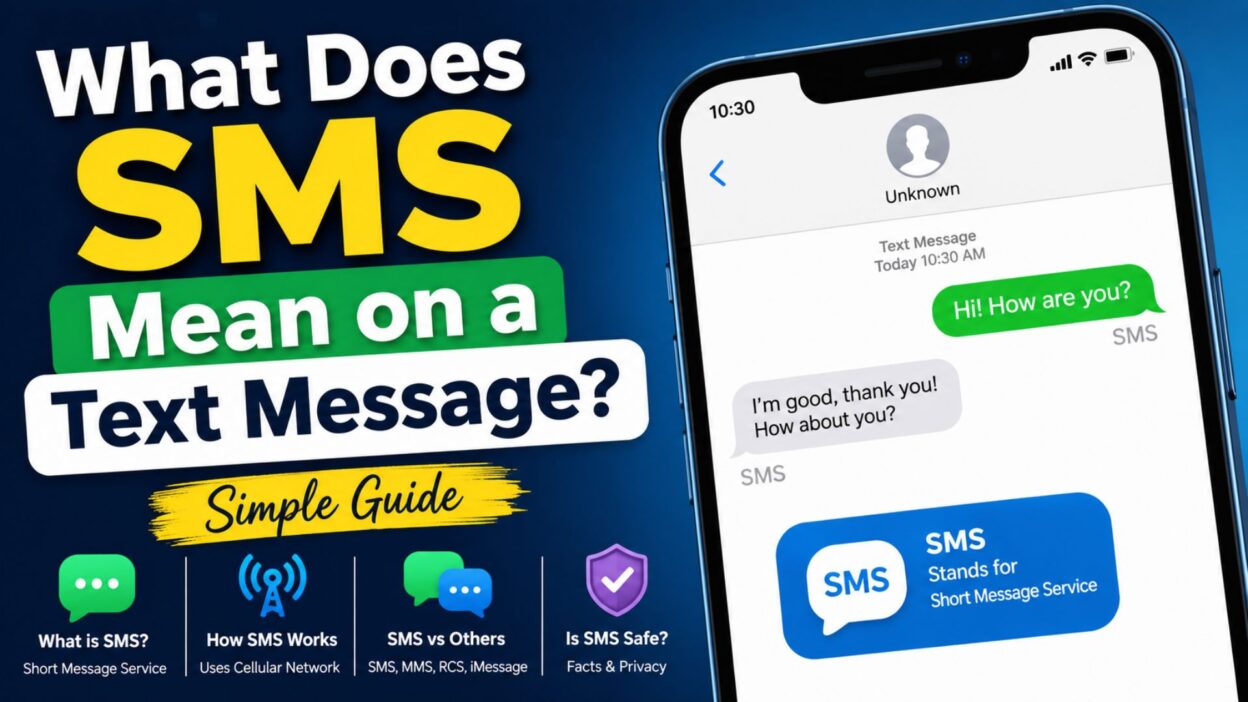
SMS means Short Message Service. In everyday language, SMS is simply a standard text message sent through your cellular network.
When you send an SMS, your phone uses your mobile carrier’s network to deliver the message to another phone number. Unlike internet-based messaging services, traditional SMS does not depend on Wi-Fi or mobile data in the same way.
That is why SMS remains useful even when an internet-based messaging service is unavailable.
Top Things to Know About SMS
SMS may sound complicated at first, but a few simple points explain most of it.
- SMS stands for Short Message Service.
- It is commonly used for ordinary text messages.
- SMS works through a cellular network.
- Traditional SMS does not require an internet messaging service.
- You can send SMS messages to many different types of phones.
- SMS can work between different mobile carriers.
- A phone may automatically use SMS when another messaging service is unavailable.
- SMS is different from MMS, which is designed for multimedia messages.
- SMS is also different from newer services such as RCS and iMessage.
- Seeing “SMS” does not mean that your message failed.
What Does SMS Mean When Sending a Text?
When your phone labels a message as SMS, it generally means the message is being sent as a standard carrier text.
For example, imagine you normally message someone through an internet-based service. If that service becomes unavailable, your phone may use SMS instead, depending on your device and settings.
The message can still reach the recipient. However, some features available through newer messaging systems may not work.
You may notice differences in:
- Read receipts
- Typing indicators
- Message reactions
- High-quality media
- Group messaging features
- Encryption
- Delivery information
Therefore, SMS is best understood as the basic text-message system that mobile phones have used for many years.
Short SMS Messages
SMS works especially well for quick, everyday communication. These simple messages are examples of the kind of information people commonly send through SMS.
- Hey, are you free today?
- I’ll call you later.
- I’m on my way.
- Please let me know when you arrive.
- Good morning!
- Can you call me when you get a chance?
- I’ll be there in ten minutes.
- Thanks for letting me know.
- See you soon!
- Did you get my message?
- I’m running a little late.
- Talk to you later.
- Have a great day!
- Please send me the details.
- I’ll text you when I get home.
- Are we still meeting today?
- Let me know when you’re available.
- Everything is okay.
- Thanks for your help.
- I’ll get back to you soon.
Why Does My Phone Say SMS?
Your phone may show SMS because it is using the standard text-message system instead of another messaging service.
This can happen for several reasons. The recipient may not use the same messaging platform as you. Your internet connection may also be unavailable, or a particular messaging service may temporarily fail.
For example, some phones can switch to SMS when an internet-based message cannot be delivered through the preferred service.
You may also see SMS when texting someone whose phone or carrier does not support the same messaging features.
So, if your phone says SMS, there is usually no reason to worry. It simply tells you which messaging method your phone is using.
SMS vs. Regular Text Message
Many people wonder whether SMS and a regular text message are actually different things.
In most everyday conversations, SMS and text message mean essentially the same thing. SMS is the technical name for the system that carries traditional text messages.
In other words:
- SMS is the technology.
- Text message is the everyday term people use.
- An SMS is a type of text message.
- Not every modern messaging service uses SMS.
So when someone says, “Send me a text,” they usually do not mean that you must use a specific messaging technology. They simply mean they want a message sent to their phone.
Best SMS Messages for Sharing
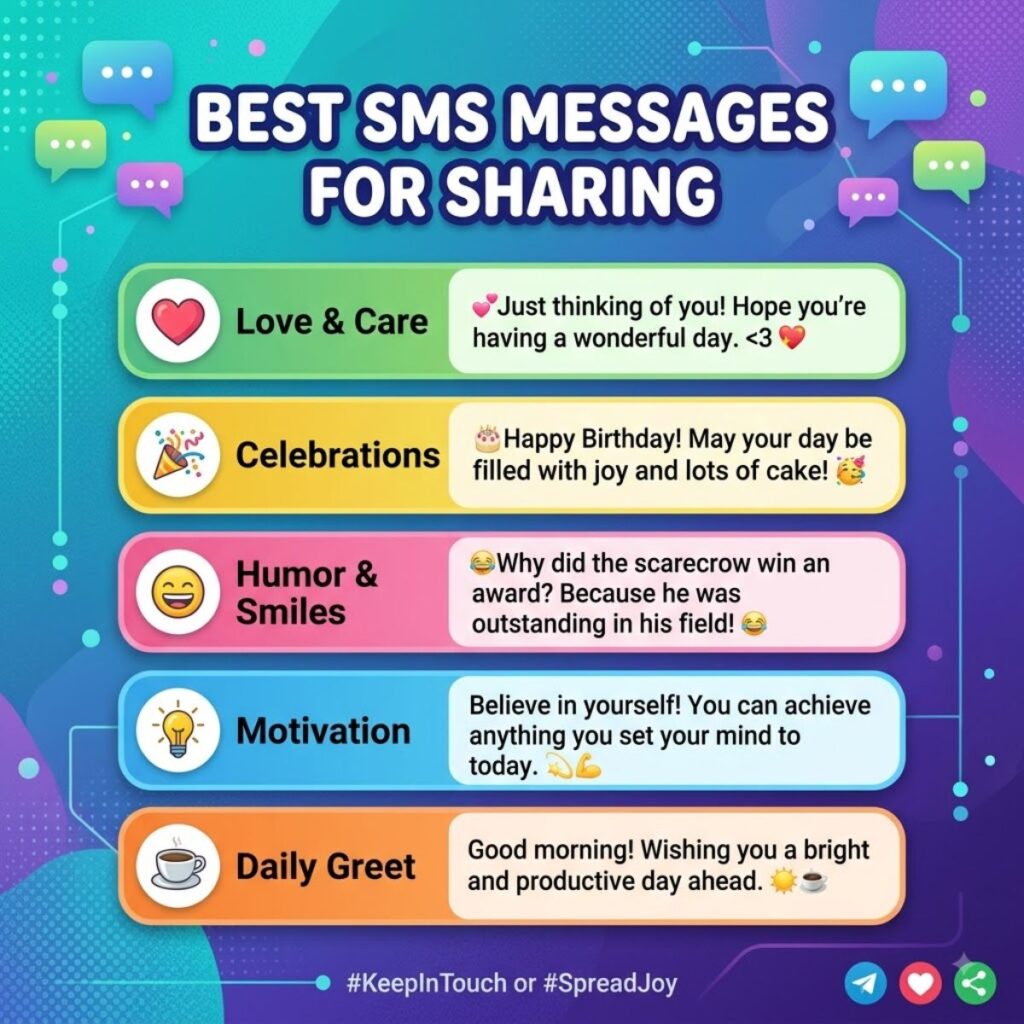
Because SMS is designed for quick communication, short and natural messages often work best.
- Just checking in to see how you’re doing.
- Hope your day is going well!
- Let me know when you’re free.
- I wanted to make sure you got home safely.
- Thinking of you today.
- Thanks again for everything.
- I’ll keep you updated.
- Hope everything goes smoothly today.
- Call me whenever you have a minute.
- I’m here if you need anything.
- Just wanted to say hello.
- Have a safe trip!
- Let me know if you need a ride.
- I’ll see you later today.
- Don’t forget to let me know.
- Hope you have a wonderful evening.
- Thanks for checking in.
- I’ll message you when I arrive.
- Take care and talk soon.
- Have a good one!
One-Line SMS Messages
Sometimes the best text is the simplest one. These one-line messages are short enough for quick conversations.
- I’m thinking of you.
- Call me when you can.
- See you soon!
- I’m almost there.
- Hope you’re doing well.
- Have a great day!
- Thanks so much.
- Talk to you soon.
- I’ll be there shortly.
- Everything looks good.
- Let me know.
- Stay safe!
- I’m heading home.
- See you tomorrow.
- Good luck today!
- Keep me posted.
- I appreciate you.
- Have a safe journey.
- Catch you later.
- Take care!
Does SMS Use Wi-Fi?
Traditional SMS is sent through your mobile carrier’s cellular network, so it does not normally require Wi-Fi.
However, modern phones can use different messaging technologies depending on the device, carrier, settings, and available connection.
This distinction matters because people sometimes confuse SMS with internet-based messaging. Apps and services that send messages over the internet generally work differently from traditional SMS.
If your phone has no Wi-Fi but has cellular service, traditional SMS may still work. On the other hand, an internet-based messaging service may require Wi-Fi or mobile data.
Does SMS Use Mobile Data?
Traditional SMS generally does not use your regular mobile data allowance in the same way internet-based messaging does.
Instead, SMS messages are handled through your carrier’s messaging service.
However, this does not necessarily mean every type of message is free. Your carrier plan determines whether SMS messages are included, charged individually, or subject to another messaging limit.
For that reason, it is always worth checking your mobile plan if you are unsure about texting costs.
Is SMS the Same as iMessage?
No. SMS and iMessage are different messaging systems.
SMS is a standard carrier-based text messaging service. iMessage is Apple’s messaging service and uses an internet connection.
When communicating between compatible Apple devices, messages may use iMessage. If iMessage is unavailable or the recipient is outside the iMessage system, a message may be sent as SMS instead, depending on the settings and circumstances.
The easiest way to remember the difference is:
- SMS uses traditional cellular text messaging.
- iMessage uses Apple’s internet-based messaging system.
- SMS can work across different phone platforms.
- iMessage is designed for Apple’s ecosystem.
- Features can differ between the two.
Is SMS the Same as RCS?
SMS and RCS are also different.
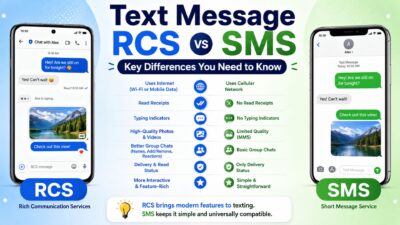
RCS stands for Rich Communication Services. It was developed as a more modern messaging standard with features that traditional SMS does not provide.
Depending on device and carrier support, RCS can offer features such as richer media sharing, typing indicators, read receipts, and improved group conversations.
SMS remains the basic fallback option when a compatible richer messaging service is unavailable.
In simple terms, SMS is the older and simpler text-message standard, while RCS provides a more modern messaging experience.
What Does SMS Mean on iPhone?
On an iPhone, seeing SMS usually means the message is being sent as a traditional text message rather than through iMessage.
For example, if you normally communicate with another iPhone user through iMessage but iMessage is unavailable, your phone may use SMS if the relevant settings allow it.
The important point is that SMS on an iPhone does not mean the phone is broken. It simply indicates that a different messaging method is being used.
What Does SMS Mean on Android?
On Android, SMS usually refers to a traditional text message sent through the mobile carrier.
Android phones can support several messaging methods, including SMS and RCS. Which method your phone uses can depend on your messaging app, carrier, device, settings, and the recipient’s phone.
Therefore, seeing SMS in a messaging app generally means the conversation is using the standard text-message system.
SMS vs. MMS: What’s the Difference?
SMS and MMS are both traditional mobile messaging services, but they are designed for different types of content.
SMS mainly handles text, while MMS can support multimedia content such as pictures, videos, audio, and longer messages.
- SMS means Short Message Service.
- MMS means Multimedia Messaging Service.
- SMS is mainly designed for text.
- MMS supports certain types of multimedia.
- Both can use your mobile carrier’s network.
- Your phone may automatically switch between them depending on what you send.
- Carrier support and messaging charges can vary.
For example, sending a simple “I’ll be home soon” can use SMS. Sending a picture through a traditional carrier messaging system may use MMS instead.
Why Did My Message Change to SMS?
Sometimes a message may appear to change from one messaging method to SMS. This can happen when the preferred messaging service is unavailable or cannot communicate with the recipient.
Several situations can cause this change:
- The recipient may have a different type of phone.
- The recipient may have turned off a messaging service.
- Your internet connection may be unavailable.
- The messaging service may have a temporary problem.
- Your phone settings may allow SMS fallback.
- The recipient may have changed devices.
- Carrier support may differ between the two phones.
This automatic change can be confusing, especially if you normally see another label. However, it does not automatically mean that something went wrong.
Your phone is often simply choosing another available way to deliver the message.
What Happens When You Send an SMS?
Sending an SMS looks instant on your screen, but several steps happen behind the scenes.
First, you type your message and tap send. Your phone then sends the message through the mobile network to your carrier’s messaging system.
The carrier processes the message and attempts to deliver it to the recipient’s phone. If the recipient is reachable, the message can arrive within a short time.
The basic process looks like this:
- You write the text.
- You tap the send button.
- Your phone connects to the mobile network.
- The carrier processes the SMS.
- The carrier routes the message toward the recipient.
- The recipient’s phone receives the message.
- The message appears in the recipient’s messaging app.
This process is why SMS can work even when you are not connected to Wi-Fi.
Can You Send SMS Without Internet?
Yes, traditional SMS can generally work without an internet connection.
You still need access to a compatible cellular network, because SMS relies on your mobile carrier’s network rather than a standard internet connection.
That makes SMS particularly useful when Wi-Fi is unavailable.
For example, you might be traveling, temporarily disconnected from Wi-Fi, or in a situation where your internet connection is weak. If your phone still has cellular service, a traditional SMS may continue to work.
However, internet-based messaging services can behave differently because they depend on data connectivity.
Does SMS Mean the Message Was Delivered?
Not necessarily.
The label SMS tells you about the type of message being sent. It does not automatically guarantee that the recipient has opened or read it.
Depending on your phone and carrier, you may receive delivery information. However, delivery and reading are separate things.
A message can be:
- Sent from your phone.
- Accepted by the carrier.
- Delivered to the recipient’s phone.
- Opened by the recipient.
These are different stages.
Therefore, if you see SMS, do not assume that the recipient has already read your message.
Does SMS Have Read Receipts?
Traditional SMS does not normally provide the same read-receipt experience found in modern messaging platforms.
Some phones or carriers may provide delivery-related information, but that is different from knowing whether someone actually opened and read your message.
Modern services such as RCS and iMessage can provide richer conversation features when supported.
That is one reason people sometimes notice a difference when a conversation switches from a modern messaging service to SMS.
Why Is My SMS Not Sending?
If an SMS refuses to send, several issues could be responsible.
The first thing to check is your cellular signal. Traditional SMS depends on your mobile carrier’s network, so a weak or unavailable signal can prevent messages from going through.
Other possible causes include:
- Your phone has no cellular service.
- Airplane Mode is enabled.
- Your carrier account has an issue.
- The recipient’s number is incorrect.
- Your messaging app has a temporary problem.
- Your carrier is experiencing an outage.
- Your phone needs to reconnect to the network.
- Your SMS settings need attention.
- The message contains content your carrier handles differently.
A simple restart can sometimes reconnect your phone to the network. If the problem continues, checking your carrier’s service status or contacting the carrier may help.
Short Messages You Can Send by SMS
SMS is ideal when you want to communicate quickly without writing a long message.
- Are you home yet?
- I’ll call you tonight.
- Can you pick me up?
- Please text me when you arrive.
- I’m waiting outside.
- I’ll be there soon.
- Did everything go okay?
- Can we talk later?
- I need to ask you something.
- Let me know what you decide.
- I’ll send the details shortly.
- Please call me back.
- I’m running five minutes late.
- See you after work.
- Have you left yet?
- I’m almost home.
- Thanks, I got it.
- I’ll see you tomorrow.
- Please keep me updated.
- Talk soon!
SMS Messages for Family
Family conversations often rely on simple messages that get straight to the point.
- Just checking to make sure you’re okay.
- Let me know when you get home.
- Have you eaten yet?
- I’ll call you after dinner.
- Please take care on your way home.
- I’m thinking about you today.
- Let me know if you need anything.
- I’ll pick you up at the usual time.
- Don’t forget your appointment.
- Text me when you arrive safely.
- Hope you’re having a good day.
- I’ll see you when I get home.
- Please call when you’re free.
- Everything is ready for tonight.
- Thanks for helping me today.
SMS Messages for Friends
A quick text can keep a friendship connected even when everyone is busy.
- Hey, what are you up to?
- Want to grab coffee later?
- We need to catch up soon!
- I haven’t heard from you in a while.
- Hope you’re doing great.
- Let’s make plans this weekend.
- I just remembered something funny.
- Call me when you have time.
- Are you still coming tonight?
- I’ll save you a spot.
- Let me know when you’re free.
- We should hang out soon.
- Thanks for always being there.
- Hope your day gets better.
- Just wanted to say hi!
SMS Messages for Work
SMS can also be useful for short professional communication when a quick response matters.
- I’m running a few minutes late.
- I’ll send the update shortly.
- Please let me know when you’re available.
- I’ve received your message.
- I’ll call you after the meeting.
- Thanks for the update.
- I’ll review it and get back to you.
- The meeting starts at 10.
- I’m available this afternoon.
- Please confirm when you receive this.
- I’ll send the information shortly.
- Thanks for your time today.
- I’ll follow up later.
- Please let me know if anything changes.
- I appreciate your quick response.
Best SMS Messages for Captions
Although SMS is primarily designed for texting, short lines can also work well as social captions.
- Less talking, more living.
- Keep it simple.
- Good moments, good memories.
- Make today count.
- Small moments matter.
- Stay close to what matters.
- Enjoy the little things.
- Choose happiness today.
- Keep moving forward.
- Make your own moment.
- Simple days, happy heart.
- Good energy only.
- Let the moment speak.
- Life feels better when you slow down.
- Save the memories, not the stress.
Copy-Paste Ready SMS Messages
Sometimes you do not need a long conversation. You simply need the right words that you can copy, paste, and send.
- Hey! Just checking in. Hope everything is going well.
- I’m on my way now. I’ll see you soon!
- Please text me when you get home safely.
- I wanted to check if we’re still meeting today.
- Thanks for letting me know. I really appreciate it.
- I’m a little busy right now, but I’ll call you later.
- Hope you’re having a wonderful day. Talk soon!
- Let me know whenever you have a free moment.
- I’ll send you the information as soon as I can.
- Just wanted to say hello and see how you’re doing.
- I’m almost home. I’ll talk to you when I get there.
- Thanks for checking on me. Everything is okay.
- Let’s talk later when we both have some time.
- I hope everything works out for you today.
- Have a safe trip, and let me know when you arrive.
- I’ll keep you updated if anything changes.
- No worries at all. We can figure it out later.
- I received your message and will get back to you soon.
- Hope you have a great evening. Take care!
- I’m glad I heard from you. Talk to you soon.
What Does SMS Mean When a Message Is Green?
On some phones, especially iPhones, people associate green message bubbles with SMS. However, a green bubble does not always mean exactly the same thing in every situation.
On an iPhone, messages sent through Apple’s iMessage system normally appear differently from messages sent through carrier-based messaging. A message may appear green when it is sent using SMS or another non-iMessage messaging method supported by the device.
This can happen when:
- The recipient does not use iMessage.
- iMessage is unavailable.
- iMessage is turned off.
- The phone sends the message using another supported method.
- Your messaging settings allow SMS fallback.
So, if you see a green bubble, it generally means the conversation is not currently using iMessage in the usual way.
Does SMS Work Internationally?
SMS can work internationally, but the exact experience depends on your carrier plan, the destination country, roaming arrangements, and the recipient’s carrier.
International texting may cost more than domestic texting if your plan does not include international messages.
Before sending many international SMS messages, check your carrier’s current international texting terms.
This is especially important when traveling because roaming charges and international messaging rules can vary significantly.
Is SMS Secure?
Traditional SMS should not be treated as equivalent to modern end-to-end encrypted messaging services.
SMS travels through mobile carrier systems, and its security model differs from services specifically designed around end-to-end encryption.
For everyday communication, SMS remains extremely useful. However, sensitive information may require a messaging service with stronger privacy protections.
If privacy is important, consider which messaging platform you are using rather than assuming every text message has the same level of protection.
Why Do Businesses Send SMS Messages?
Businesses commonly use SMS because text messages can reach customers directly on their phones.
You may receive SMS messages for:
- Appointment reminders
- Delivery updates
- Verification codes
- Account notifications
- Order updates
- Customer support
- Security alerts
- Promotional messages
- Reservation confirmations
Because SMS is widely supported by mobile phones, businesses can use it to communicate important information without requiring customers to install a separate app.
However, legitimate businesses should follow applicable messaging and consent requirements when sending marketing or other automated texts.
What Does SMS Mean on a Text Message? Common Questions
Understanding SMS becomes much easier once you know how it differs from other messaging options. These quick answers cover the questions people most often have after seeing SMS on their phones.
Is SMS the Same as a Text Message?
Yes, in everyday use, SMS and text message usually refer to the same basic type of communication.
SMS stands for Short Message Service, which is the technology traditionally used to send text-only messages through a mobile carrier.
Does SMS Require Wi-Fi?
No. Traditional SMS does not normally require Wi-Fi or mobile data. It uses your cellular carrier’s network.
However, other messaging services can require an internet connection, so it is important to know which messaging method your phone is using.
Why Did My Phone Send an SMS Instead of Another Message?
Your phone may send an SMS when another messaging service is unavailable, unsupported, disabled, or unable to reach the recipient.
Your phone and the recipient’s device can influence which messaging method gets used.
Can SMS Send Pictures?
Traditional SMS is designed for text. Pictures and other multimedia content are generally handled through MMS or a modern internet-based messaging service.
The exact behavior can vary depending on your phone, carrier, and messaging app.
Is SMS the Same as RCS?
No. SMS is the traditional text-message standard, while RCS is a newer messaging standard designed to support richer features.
RCS can provide features such as typing indicators, read receipts, improved media sharing, and richer group chats when supported.
SMS vs. RCS vs. iMessage
It can be confusing when your phone uses different messaging systems for different conversations. The easiest way to understand them is to compare their basic purpose.
- SMS: Traditional carrier-based text messaging.
- RCS: A newer messaging standard with richer features.
- iMessage: Apple’s internet-based messaging service.
- MMS: A carrier-based system designed for multimedia messages.
These technologies can overlap in everyday conversations, but they do not work in exactly the same way.
For example, one conversation might use RCS while another uses SMS. On an iPhone, a conversation with another Apple user may use iMessage, while communication outside the iMessage system can use SMS or another supported messaging method.
When Should You Use SMS?
SMS remains useful because it is simple, widely supported, and easy to use.
You might choose SMS when:
- You need to send a quick text.
- The recipient uses a different phone platform.
- Internet messaging is unavailable.
- You want to reach someone through their phone number.
- The recipient does not use a particular messaging app.
- You need a simple backup communication method.
- You are sending a short everyday message.
For basic communication, SMS continues to be a practical option.
One-Line SMS Messages for Everyday Conversations
Short texts can sometimes say exactly what you need without creating a long conversation.
- I’ll call you later.
- Let me know when you arrive.
- I’m heading out now.
- See you soon!
- Are you available?
- I’ll text you later.
- Hope everything is okay.
- Thanks for the update.
- I’m almost there.
- Talk soon!
- Take care today.
- I’ll keep you posted.
- Let’s talk tomorrow.
- I’m home now.
- Have a good night!
- See you in a bit.
- Please call when free.
- I got your message.
- Everything is fine.
- Thanks again!
Friendly SMS Messages to Send
A simple text can brighten someone’s day without requiring a long conversation.
- Just wanted to check in and see how you’re doing.
- Hope today brings you something worth smiling about.
- Sending a quick hello your way!
- I hope your day is going smoothly.
- Haven’t talked to you in a while. Hope you’re doing great.
- Just checking in because you crossed my mind.
- Hope you’re having a peaceful evening.
- Wishing you a really good day.
- It’s always nice hearing from you.
- Hope everything is going well on your side.
- Just wanted to remind you that I’m thinking of you.
- Take some time for yourself today.
- Hope something good happens for you today.
- Sending good thoughts your way.
- Have a beautiful rest of your day!
SMS Messages for Important Reminders
SMS is often useful for reminders because the messages are short and easy to notice.
- Don’t forget our meeting tomorrow.
- Please remember to call me this evening.
- Your appointment is coming up soon.
- Remember to bring the documents.
- Please text me when you leave.
- Don’t forget to charge your phone.
- Let me know when you’re ready.
- Remember that we’re meeting at 3.
- Please confirm when you can.
- Don’t forget to send the details.
- I’ll remind you again later if needed.
- Please let me know if plans change.
- Remember to bring everything you need.
- Let’s make sure we’re still on for tomorrow.
- Please check the time before you leave.
SMS Messages for Checking In
Checking in does not have to sound formal. A natural message can be short and personal.
- Hey, just checking in. How are you?
- How’s everything going today?
- Just wanted to make sure you’re okay.
- Have you made it home yet?
- How did everything go?
- Are you feeling better today?
- Just checking to see if you need anything.
- How has your day been?
- Let me know how things are going.
- I wanted to see how you’re doing.
- Everything okay on your end?
- Have you heard any updates?
- Just making sure you’re doing alright.
- Let me know if you want to talk.
- I’m here if you need me.
SMS Messages for Work and Business
Professional SMS messages should stay clear and respectful. Since texts are usually read quickly, direct wording works well.
- Good morning. I’m available whenever you’re ready.
- I’ve received the information. Thank you.
- I’ll review the details and respond shortly.
- Please let me know if you need anything else.
- I’m running a few minutes behind schedule.
- I’ll send the requested information today.
- Thank you for your quick response.
- Please confirm that you received the update.
- I’m available for a call this afternoon.
- I’ll follow up with you later today.
- The meeting time remains unchanged.
- Please let me know if the schedule changes.
- I appreciate your time and assistance.
- I’ll get back to you as soon as possible.
- Thanks for keeping me updated.
How to Tell If You Are Sending SMS
The exact label depends on your phone and messaging app. However, there are several signs that can indicate your message is being sent as SMS.
You may see:
- An “SMS” label near the message.
- A text-message indicator in the compose box.
- A different message bubble style.
- A change from an internet-based messaging service.
- Fewer advanced messaging features.
- Carrier-based delivery behavior.
On some devices, you may not see the word SMS at all. The phone can simply handle the message in the background.
Therefore, not seeing an “SMS” label does not necessarily mean you are not sending a traditional text.
What Does SMS Mean in a Group Chat?
SMS can also be involved in group conversations, although group messaging features can vary depending on the devices and carriers involved.
If everyone in a group uses the same modern messaging platform, the conversation may use a richer messaging service. However, if participants use different platforms, the phone may use SMS or MMS depending on the situation.
This can affect:
- Group replies
- Photos and videos
- Reactions
- Read receipts
- Typing indicators
- Message delivery
- Conversation features
If a group chat suddenly behaves differently, the messaging method may have changed.
Why SMS Still Matters Today
Modern messaging apps have added many impressive features, but SMS remains important because it is simple and broadly supported.
You do not usually need to create a separate account, download a special app, or connect with someone through a social platform to send a traditional SMS. A phone number and cellular service can be enough.
SMS also serves as a fallback in many situations.
When a richer messaging service is unavailable, a basic text message can still provide a reliable way to communicate. That simplicity is one reason SMS has remained part of everyday mobile communication for so long.
Simple Things to Remember About SMS
If you only remember a few points from this guide, keep these ideas in mind:
- SMS means Short Message Service.
- It is the traditional system behind ordinary text messages.
- SMS generally uses your cellular network.
- Traditional SMS does not normally require Wi-Fi.
- SMS is different from RCS and iMessage.
- MMS is generally used for multimedia messages.
- Seeing SMS does not automatically mean your message failed.
- An SMS label does not mean the recipient has read the message.
- Your carrier and phone settings can affect how SMS works.
- SMS remains useful for simple, widely supported communication.
Final Thoughts
If you searched what does SMS mean on a text message, the simplest answer is this: SMS stands for Short Message Service, the traditional technology used to send ordinary text messages through a mobile carrier.
Once you understand that, labels such as SMS, MMS, RCS, and iMessage become much easier to recognize. SMS is not necessarily a sign that something is wrong with your phone. In many situations, it simply means your device is using a basic carrier-based messaging method.
SMS can be especially useful when internet-based messaging is unavailable or when you need to communicate with someone using a different messaging platform. Although newer services offer more features, traditional SMS remains a practical part of everyday communication.
So the next time you see SMS on a text message, you can quickly understand what it means and why your phone is using it. When you need a simple message that gets straight to the point, SMS still does exactly what its name promises: it delivers a short message.

Awais Bilal is the author of Messagesfy, sharing simple and meaningful messages, quotes, and wishes to help people express their feelings easily.