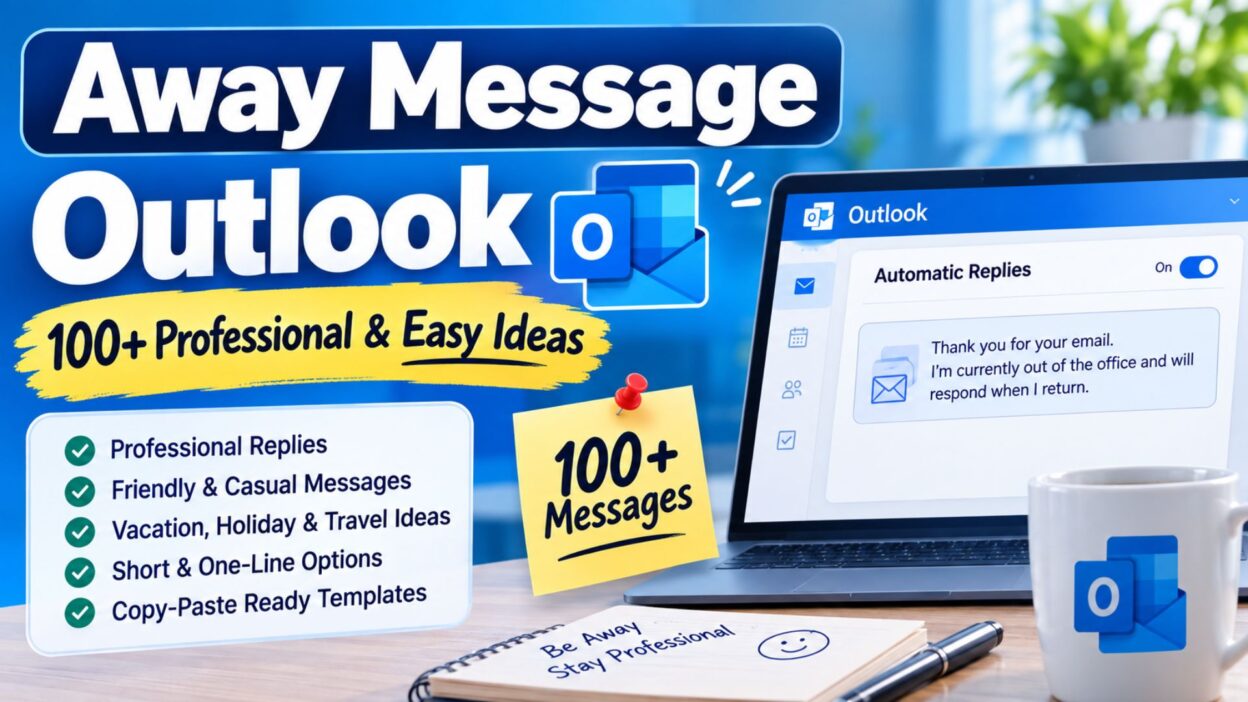
Leaving your inbox for a few hours, a full day, or an entire vacation can make you wonder what to tell people who email you. A good away message Outlook setup solves that problem by letting others know when you are unavailable and when they can expect a response. Instead of writing the same explanation every time someone contacts you, you can create a clear automatic reply that works in the background.
The best away messages do more than say, “I’m out of the office.” They give useful information without making the message feel cold or overly formal. Depending on your situation, you might want a professional reply for clients, a casual note for coworkers, or a warm message for a holiday or vacation.
Below, you’ll find practical away message Outlook ideas for different situations. Whether you need something short, professional, friendly, or easy to copy and paste, these examples can help you choose the right words quickly.
Top Away Message Outlook Ideas
These messages work well when you want a dependable automatic reply that clearly explains your availability.
- I’m currently away from my email and will respond when I return.
- Thanks for your email. I’m currently out of the office and will reply as soon as possible.
- I’m away at the moment and may have limited access to email. I’ll get back to you soon.
- Thank you for reaching out. I’m currently unavailable but will respond when I’m back.
- I’m currently out of the office. Your message has been received, and I’ll reply upon my return.
- I’m away from my desk today and will respond to your email when I’m available again.
- Thanks for your message. I’m currently unavailable and will return your email as soon as I can.
- I’m out of the office and checking email only occasionally. I’ll respond when I’m back.
- I’m currently away and unable to respond immediately. Thank you for your patience.
- I’m taking some time away from email and will get back to you when I return.
- I’m currently unavailable. I appreciate your message and will respond as soon as possible.
- Thank you for contacting me. I’m away from the office and will follow up after I return.
- I’m currently out of the office with limited email access. I’ll respond when I’m available.
- I’m away from email right now. Your message is important to me, and I’ll reply when I return.
- I’m currently away and will have limited access to my inbox. Thanks for understanding.
- Thanks for getting in touch. I’m away from the office and will respond after I return.
- I’m currently unavailable by email. I’ll review your message and respond when I’m back.
- I’m out of the office today and will return your message as soon as I’m able.
- I’m away from my inbox for a short time. I’ll get back to you once I’m available.
- Thank you for your email. I’m currently away and will respond after I return to the office.
Short Away Message Outlook Examples
Sometimes a simple sentence is all you need. These short options are ideal when you want your automatic reply to stay clean and direct.
- I’m currently out of the office. I’ll reply when I return.
- I’m away from email and will respond soon.
- Out of the office today. I’ll get back to you shortly.
- I’m currently unavailable. Thanks for your patience.
- Away from my inbox. I’ll respond when I’m back.
- I’m out today and will reply when I return.
- Currently away from email. I’ll respond as soon as possible.
- Thanks for your email. I’ll reply when I’m available.
- I’m away right now and will respond later.
- Out of the office with limited email access.
- I’m currently unavailable by email. I’ll be in touch soon.
- Away from my desk today. I’ll respond when I return.
- I’m taking a short break from email and will reply soon.
- Currently out of the office. Thanks for understanding.
- I’m away and will check your message when I return.
Professional Away Message Outlook Examples
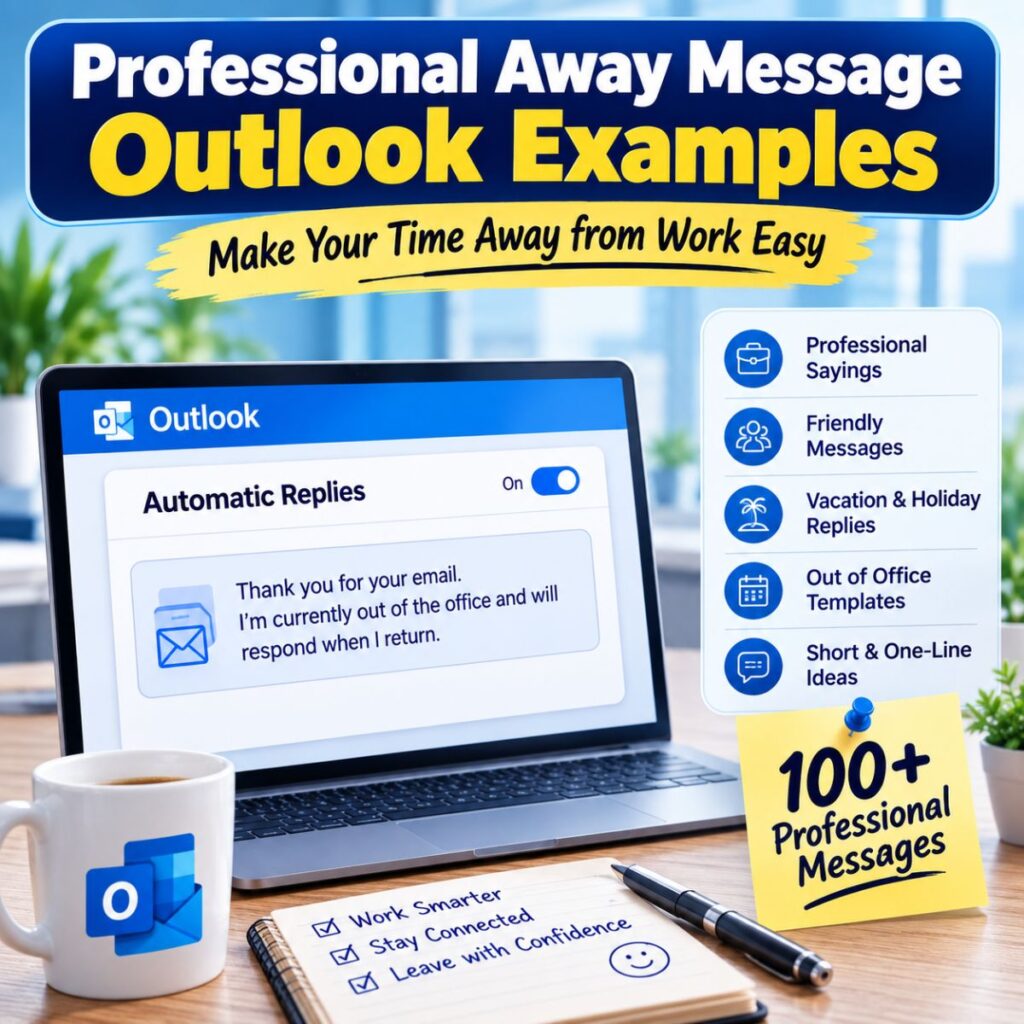
A professional automatic reply should sound polished without becoming unnecessarily complicated. These messages are useful for clients, customers, managers, and business contacts.
- Thank you for your email. I’m currently out of the office and will respond as soon as possible after my return.
- I’m currently away from the office with limited access to email. I’ll review your message and respond when I return.
- Thank you for contacting me. I’m unavailable at the moment and will respond to your inquiry upon my return.
- I’m currently out of the office. I appreciate your message and will follow up as soon as I’m available.
- Thank you for reaching out. I’m away from the office and will respond to your email when I return.
- I’m currently unavailable and may not be able to respond immediately. Thank you for your patience and understanding.
- I’m away from the office at this time. I’ll review your email and respond as soon as I’m back.
- Thank you for your message. I’m currently out of the office and have limited access to my inbox.
- I’m unavailable until my return and will respond to your email as soon as I’m able.
- I’m currently away from the office. For urgent matters, please contact the appropriate member of our team.
Friendly Away Message Outlook Ideas
A friendly message can make an automatic reply feel more personal while still keeping it appropriate for work.
- Thanks for reaching out! I’m away from my inbox right now, but I’ll get back to you when I return.
- Hi! I’m currently away from email and will catch up with your message when I’m back.
- Thanks for your message! I’m taking some time away and will reply when I’m available again.
- I’m away from the office for a little while. Thanks for your patience while I’m offline.
- Thanks for stopping by my inbox! I’m currently away and will get back to you soon.
- I’m taking a short break from email. I’ll catch up with your message when I return.
- Thanks for reaching out! I’m currently unavailable but look forward to connecting when I’m back.
- I’m away right now, enjoying some time offline. I’ll respond when I’m back at my desk.
- Thanks for your email! I’ll be away for a bit and will reply as soon as I’m available.
- I’m currently out of the office, but your message is safely waiting for me. I’ll respond when I return.
Away Message Outlook for Vacation
Vacation messages can be slightly warmer while still giving professional contacts the information they need.
- I’m currently away on vacation and will respond to your email when I return.
- Thanks for your message! I’m enjoying some time away and will catch up on emails after my return.
- I’m out of the office enjoying a vacation and will have limited access to email. I’ll reply when I’m back.
- I’m taking some well-deserved time away from work and will respond to your message after my vacation.
- I’m currently on vacation and away from my inbox. Thank you for your patience until I return.
- I’m away enjoying some time off and will respond to emails once I’m back in the office.
- Thanks for reaching out! I’m currently on vacation and will get back to you when I return.
- I’m offline for a few days while I recharge. I’ll respond to your email as soon as I’m back.
- I’m away on vacation with limited access to email. I’ll follow up after I return.
- I’m currently taking a break from work and will reconnect with you when I’m back.
Away Message Outlook for a Day Off
For a short absence, there is no need to create a long explanation. A quick, clear message usually works best.
- I’m out of the office today and will respond to your email tomorrow.
- I’m taking the day off and will get back to you when I return.
- I’m away from my desk today and will respond when I’m back tomorrow.
- Thanks for your email. I’m unavailable today but will reply when I return.
- I’m out today with limited access to email. I’ll respond as soon as I’m back.
- I’m away for the day and will catch up on messages tomorrow.
- I’m currently taking a day away from the office and will respond upon my return.
- I’m offline today and will be back in touch tomorrow.
- I’m unavailable today but will review your message when I return.
- Thanks for reaching out. I’ll respond to your email when I’m back in the office.
Best Away Message Outlook Messages for Sharing
These messages are useful when you want to tell coworkers, clients, or contacts that you are unavailable while keeping your reply natural and easy to understand.
- I’m currently away from the office and will respond to your message when I return.
- Thanks for reaching out. I’m unavailable right now but will follow up as soon as I’m back.
- I’m currently away from my inbox. Your message has been received, and I’ll respond when I return.
- I’m out of the office for a short period and will get back to you as soon as possible.
- Thank you for your message. I’m away at the moment and will reply after I return.
- I’m currently unavailable and may not see your email until I’m back in the office.
- I’m taking some time away from work and will respond to your message when I return.
- Thanks for contacting me. I’m currently away and will catch up with your email when I’m back.
- I’m away from the office right now, but I’ll make sure to respond once I’m available.
- I’m currently offline and will review your email when I return to my desk.
- Thank you for your patience. I’m away from email and will respond as soon as I’m available.
- I’m currently out of the office and will follow up with you after I return.
- I’m away from my inbox and may have limited access to email during this time.
- Thanks for your email. I’ll review it as soon as I’m back and able to respond.
- I’m unavailable for the moment and appreciate your understanding while I’m away.
- I’m currently taking time away from my regular work schedule and will respond afterward.
- I’m away from the office and will reconnect with you when I’m back.
- Your message has reached me, but I’m currently unavailable. I’ll respond as soon as possible.
- I’m currently away and unable to give your message my full attention. I’ll reply when I return.
- Thank you for getting in touch. I’ll respond to your email once I’m back in the office.
One-Line Away Message Outlook Ideas
A one-line automatic reply is perfect when you want to communicate your availability without filling the inbox with unnecessary details.
- I’m currently away from the office and will respond when I return.
- Out of the office today, but I’ll be back in touch soon.
- I’m away from email and will reply as soon as I’m available.
- Currently unavailable, but I’ll respond when I’m back.
- Away from my inbox for now; I’ll get back to you shortly.
- I’m out of the office and will catch up on emails when I return.
- Taking some time away from email and will respond when I’m back.
- I’m currently offline and will reply once I return.
- Away today with limited email access; I’ll respond when I’m available.
- I’m unavailable right now but will get back to you as soon as possible.
- Out of the office with limited access to my inbox.
- I’m away for the moment and will respond after I return.
- Thanks for your email; I’ll reply when I’m back in the office.
- Currently away from my desk and unable to respond immediately.
- I’m taking some time off and will reconnect when I return.
- Away from work today; I’ll respond to your message when I’m back.
- I’m currently unavailable by email and will follow up later.
- Out of the office for now, with a reply coming when I return.
- I’m away from my inbox but will review your message soon.
- Currently offline; I’ll get back to you once I’m available.
Away Message Outlook for Holidays
Holiday replies can sound a little more cheerful while still keeping the information clear for anyone who contacts you.
- I’m currently away for the holiday and will respond when I return.
- Thanks for your message! I’m taking some time to enjoy the holiday and will reply afterward.
- I’m out of the office for the holiday and will get back to you when I’m back.
- I’m currently enjoying some holiday time away from email. I’ll respond after my return.
- Thank you for reaching out. I’m away for the holiday and will reply as soon as I’m available.
- I’m taking a holiday break and will catch up on messages when I return.
- I’m away from the office for a holiday break and will respond when I’m back.
- Thanks for your email! I’m enjoying some time away and will reconnect after the holiday.
- I’m currently offline for the holiday and will respond to your message once I return.
- I’m taking a short holiday break and will be back in touch soon.
Funny Away Message Outlook Ideas
A little humor can make an automatic reply memorable. However, keep these options for coworkers or casual contacts rather than important client communication.
- I’m away from my inbox, and my emails are patiently waiting for me.
- I’m currently out of the office pretending email does not exist.
- I’ve temporarily escaped my inbox and will return when reality calls.
- I’m away from work and giving my inbox a much-needed vacation too.
- I’m currently offline. My inbox and I will reunite soon.
- I’m out of the office, so your email is currently enjoying some quiet time.
- I’m away from my desk. Please leave your email with my inbox.
- I’m taking a break from email before my inbox starts judging me.
- I’m currently unavailable because my calendar finally won a battle.
- I’m away for a while. My inbox will be supervised by absolutely nobody.
- I’m currently offline and letting my unread emails grow naturally.
- I’ve stepped away from the office. My inbox is still there, unfortunately.
- I’m away from email and pretending notifications cannot find me.
- I’m currently out of the office, so my inbox will have to wait.
- I’m taking some time away from work. Even emails deserve a little patience.
Away Message Outlook for Meetings
Sometimes you are unavailable because of meetings rather than a full day away. These short replies can explain that situation clearly.
- I’m currently in meetings and may not be able to respond immediately.
- Thanks for your email. I’m tied up in meetings and will reply when I’m available.
- I’m currently unavailable due to meetings and will respond as soon as I’m free.
- I’m in meetings for part of the day and will catch up with your message afterward.
- I’m currently away from my inbox attending meetings. I’ll respond when I return.
- Thanks for reaching out. I’m currently in a meeting and will get back to you shortly.
- I’m away from email while attending meetings and will respond when I’m available.
- I’m currently occupied with meetings but will review your message afterward.
- I’m unavailable for the moment due to meetings and will reply as soon as possible.
- I’m currently in meetings with limited access to email. Thank you for your patience.
Away Message Outlook for Business Travel
Business travel often means limited access to email. These messages let contacts know why your response may take longer than usual.
- I’m currently traveling for business and may have limited access to email.
- Thanks for your message. I’m away on business travel and will respond when I’m available.
- I’m currently out of the office for business travel and will reply as soon as possible.
- I’m traveling for work and may not be able to respond immediately. I’ll get back to you soon.
- I’m away on business and will review your email when I have access to my inbox.
- Thank you for contacting me. I’m currently traveling for work and will respond upon my return.
- I’m out of the office for a business trip and may have limited availability by email.
- I’m currently traveling and will catch up with messages as soon as I’m back.
- I’m away for work-related travel and will respond when I’m able to give your message my full attention.
- I’m currently on a business trip with limited email access. I’ll reply as soon as possible.
Away Message Outlook for Personal Time
Personal time does not require a detailed explanation. A simple message can protect your privacy while still setting expectations.
- I’m currently away from work for personal time and will respond when I return.
- I’m unavailable at the moment and will get back to you when I’m back.
- I’m away from the office today and will respond once I’m available again.
- I’m currently taking some personal time and will reply when I return.
- Thanks for your message. I’m away today and will follow up when I’m back.
- I’m currently unavailable for personal reasons and will respond as soon as I can.
- I’m away from my inbox and will review your message after I return.
- I’m taking some time away from work and will reconnect when I’m available.
- I’m currently offline and will respond to your email when I’m back.
- Thank you for understanding. I’ll get back to you as soon as I return.
Best Away Message Outlook Templates
A template makes it easier to create a complete automatic reply without starting from scratch. You can replace the bracketed details with your own information.
- Thank you for your email. I’m currently out of the office from [date] to [date] and will respond when I return.
- I’m currently away from the office and will return on [date]. I’ll respond to your message as soon as possible after my return.
- Thanks for reaching out. I’m currently unavailable and expect to return on [date]. I’ll follow up with you shortly after that.
- I’m away from the office until [date] with limited access to email. For urgent matters, please contact [name].
- Thank you for contacting me. I’m currently out of the office and will return on [date]. I appreciate your patience.
- I’m currently away and may have limited access to email. I’ll respond after I return on [date].
- Thanks for your message. I’m unavailable until [date] and will review your email when I’m back.
- I’m currently out of the office. I’ll return on [date] and respond to your email as soon as possible.
- I’m away from email until [date]. If your request is urgent, please contact [name or team].
- Thank you for your patience while I’m away. I’ll return on [date] and respond as soon as I can.
Bilkul jnb ❤️ Part 3 mein article ko naturally complete karte hain. Ismein captions, copy-paste messages, FAQ, conclusion aur meta description hain.
Best Away Message Outlook for Captions
These short ideas work well when you want an away message that feels relaxed, modern, and suitable for a status, caption, or quick update.
- Away from the inbox, back soon.
- Taking a little time away from work and email.
- Offline for now, catching up when I’m back.
- Out of the office and enjoying some time away.
- Stepping away from email for a while.
- Currently unavailable, but I’ll be back soon.
- Taking a break from the inbox and enjoying some offline time.
- Away today, returning with a fresh inbox mindset.
- My inbox can wait; I’m taking some time away.
- Offline for a while, back to emails soon.
- Out of office, temporarily out of reach.
- Taking a well-earned break from the screen.
- Away from work today, back when I’m refreshed.
- A little time away from email goes a long way.
- Currently enjoying some time away from my inbox.
- Not ignoring emails, just taking a short break.
- Away from the desk, back when the break is over.
- Inbox paused, real life activated.
- Taking time away and leaving the emails for later.
- Offline today, ready to catch up when I return.
Copy-Paste Ready Away Message Outlook Examples
If you do not want to customize a message from scratch, these ready-to-use examples can be copied directly into your automatic reply and adjusted with your dates or contact details.
- Thank you for your email. I’m currently out of the office and will return on [date]. I’ll respond to your message as soon as possible after I return.
- Thanks for reaching out. I’m currently away from the office with limited access to email. I’ll review your message and respond when I’m back.
- I’m currently out of the office from [date] through [date]. I’ll have limited access to email during this time and will respond when I return.
- Thank you for contacting me. I’m currently unavailable and expect to return on [date]. I appreciate your patience and will get back to you as soon as possible.
- I’m away from the office today and will return tomorrow. I’ll review your email when I’m back and respond as soon as I can.
- Thanks for your message. I’m currently taking some time away from work and will respond when I return. For urgent matters, please contact [name].
- I’m currently on vacation and away from my inbox. I’ll return on [date] and will catch up on messages as soon as possible.
- Thank you for your email. I’m currently traveling for work and may have limited access to my inbox. I’ll respond as soon as I’m available.
- I’m currently away from email and will have limited availability until [date]. Thank you for your understanding while I’m away.
- I’m out of the office at the moment and will respond to your email when I return. If your request is urgent, please contact [name or team].
How to Write a Good Away Message Outlook Reply
A useful automatic reply should give people enough information without turning into a long explanation. Start by clearly saying that you are unavailable. Then, if appropriate, mention when you expect to return.
You can also include an alternative contact for urgent requests. This is especially helpful when clients, customers, or coworkers may need assistance before you return.
Keep the wording simple and professional. For example, instead of explaining why you are away, you can simply say that you are unavailable until a specific date. This protects your privacy while still setting a clear expectation.
Finally, check your message before activating it. Make sure the dates are correct, the contact information is current, and the tone matches the people who may receive your automatic reply.
What Makes an Away Message Outlook Reply Effective?
A strong away message usually includes three important details: your current availability, your expected return, and an alternative contact when necessary.
The message should also be easy to scan. Short sentences help readers understand your situation quickly, especially when they need an immediate answer.
For professional communication, avoid unnecessary jokes or personal details. On the other hand, a friendly workplace may allow a warmer tone. The best message depends on your audience and the reason you are away.
FAQ About Away Message Outlook
What should I include in an Outlook away message?
An Outlook away message should normally mention that you are unavailable and, when possible, provide your expected return date. You can also add an alternative contact for urgent matters.
How long should an Outlook away message be?
Most automatic replies work best when they are short and easy to understand. A few clear sentences are usually enough to explain your availability and next steps.
Should I include the reason I am away?
You do not have to explain why you are unavailable. A simple statement such as “I’m currently out of the office” gives recipients the information they need without sharing unnecessary personal details.
Can I make an Outlook away message more friendly?
Yes. You can use warmer wording while keeping the information clear. A friendly message can work especially well for coworkers and regular contacts.
What is the best away message Outlook users can use?
A dependable option is: “Thank you for your email. I’m currently out of the office and will respond when I return.” You can add your return date and an urgent-contact option if needed.
Conclusion
The right away message Outlook reply can make time away from work much easier. Instead of leaving people wondering whether you received their email, a clear automatic response sets expectations from the start. It tells contacts that you are unavailable while giving them a simple idea of when they can expect a response.
Whether you are going on vacation, taking a day off, attending meetings, traveling for business, or simply stepping away for personal time, the wording should match your situation. A professional message works well for clients, while a friendly or slightly humorous option may suit coworkers.
You do not need a complicated explanation to make your reply useful. In most cases, a clear statement about your availability, a return date, and an alternative contact are enough. Save your favorite away message Outlook examples so you can quickly reuse them whenever you need time away from your inbox.
A thoughtful automatic reply gives you something valuable: the freedom to step away without worrying about unanswered emails.

Awais Bilal is the author of Messagesfy, sharing simple and meaningful messages, quotes, and wishes to help people express their feelings easily.