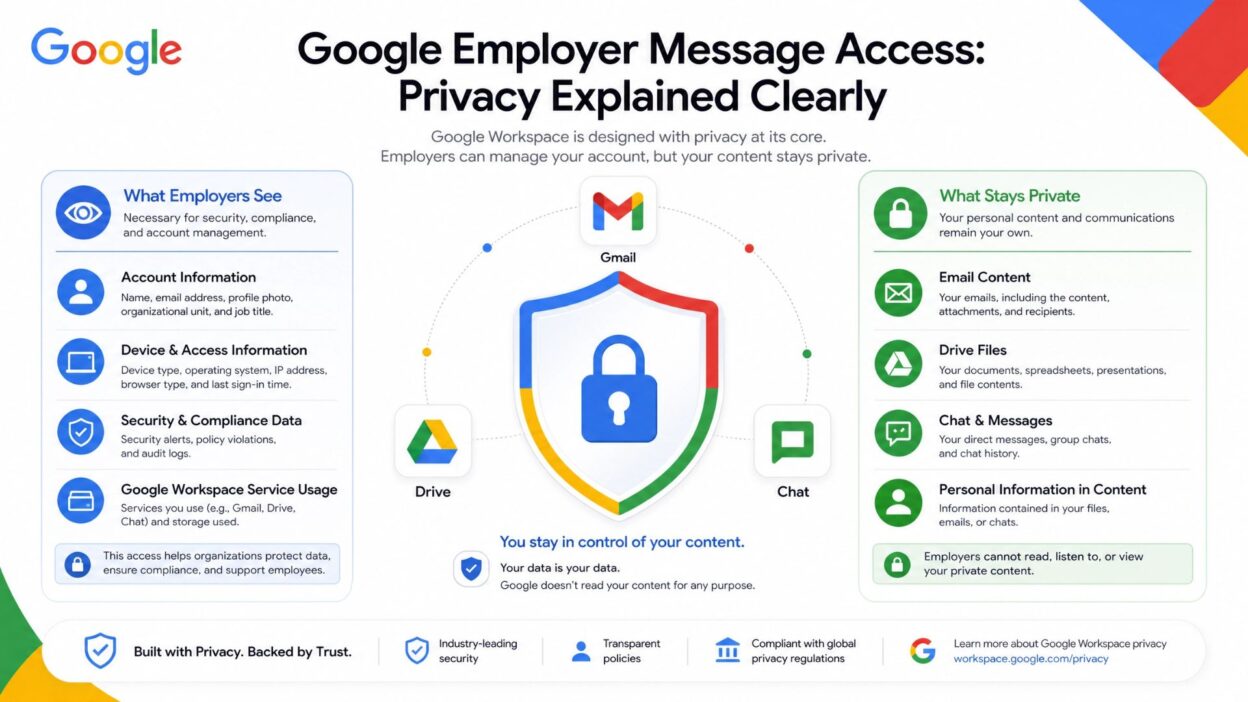
In today’s digital workplaces, people communicate mostly through emails, chats, and cloud tools. Because of this, many users now ask about google employer message access to understand what employers can actually see and what remains private.
When employees use Gmail, Google Chat, or Google Workspace for work, companies often manage those accounts through admin systems. As a result, organizations can control certain communication features for security and business management. However, this does not mean everything becomes openly visible or constantly monitored.
In fact, privacy rules still apply, and companies must follow internal policies and legal requirements. Meanwhile, personal Google accounts remain fully private and separate from workplace systems.
Therefore, understanding the difference between personal and work accounts becomes very important. Once you know this, you can clearly understand what employers can access and what they cannot.
In this guide, we will explain everything in a simple and clear way so you can avoid confusion and stay informed.
What Google Employer Message Access Actually Means
First, we need to clearly define the concept so there is no misunderstanding.
Google employer message access refers to the ability of an organization to manage and sometimes view communication data inside Google Workspace work accounts.
- Employers use this access in business-managed Google accounts
- They do not use it for personal Gmail accounts
- Administrators control this system through Google Admin tools
- Companies use it mainly for security and compliance
- It may include emails, chats, and shared files
Importantly, organizations do not randomly view messages. Instead, they set policies that define how data gets handled and stored.
Difference Between Personal and Work Google Accounts
Now let’s clearly separate both account types, because this is where most confusion happens.
Personal Google Account (Gmail)
- Users fully control their personal Gmail accounts
- Google protects personal data with strong privacy systems
- Employers cannot access personal emails or chats
- Users manage passwords, settings, and content
- No workplace monitoring applies here
Google Workspace (Work Account)
- Employers manage work accounts through admin controls
- Organizations set rules for communication and storage
- Work emails and chats may be accessible to admins
- Companies can manage security settings and access logs
- Employees must follow workplace policies when using it
As a result, account type directly decides the level of access and control.
What Employers Can Access in Google Workspace
Now let’s understand what access typically exists in a work environment.
- Employers can view work emails sent through company accounts
- They can access Google Chat conversations if enabled
- They manage shared Drive files and folders
- They review security and login activity logs
- They store emails for compliance and business records
- They reset passwords when needed for security
- They control account permissions and access levels
However, companies apply these controls based on policy settings, not personal interest.
Why Employers Use Message Access Systems
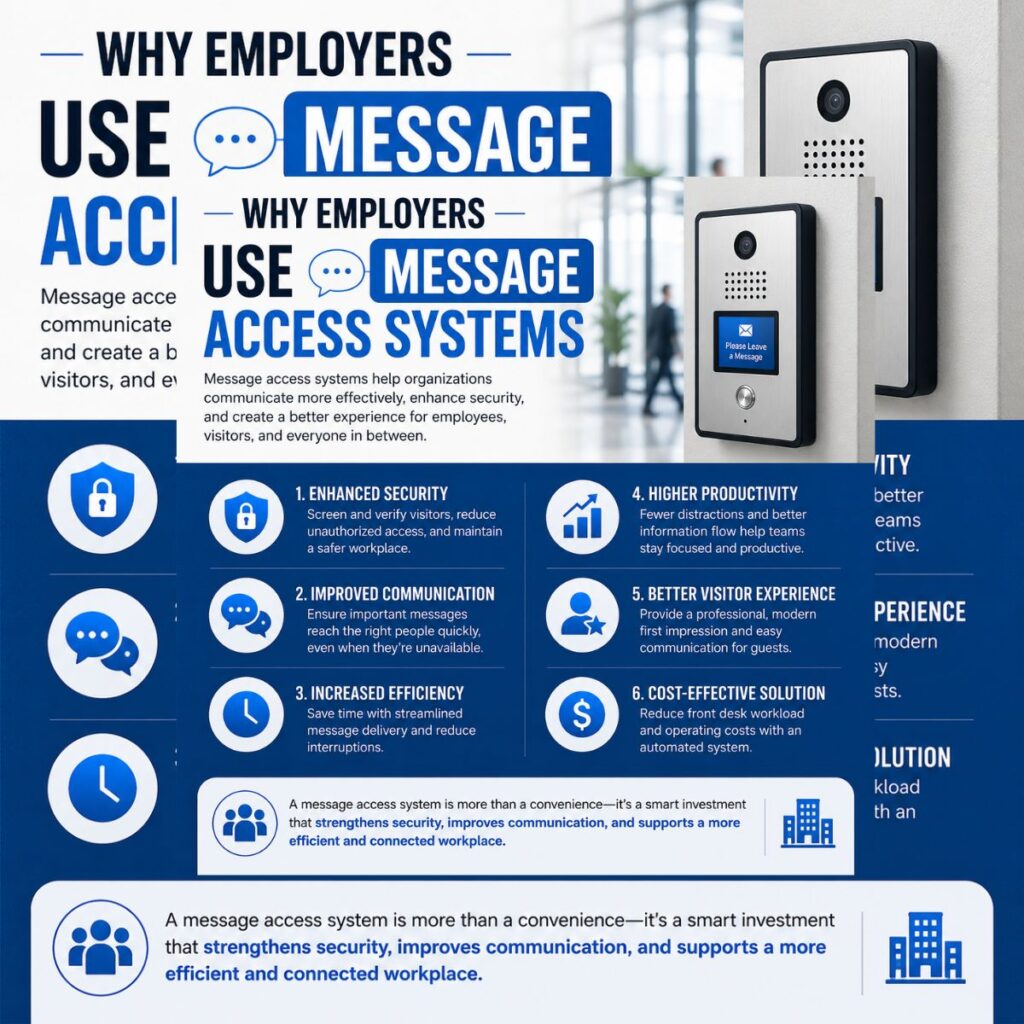
Organizations use these tools for clear and practical reasons.
- They protect company data from leaks or misuse
- They maintain security across all employee accounts
- They ensure compliance with legal regulations
- They manage employee access in one central system
- They recover important work data when needed
- They support smooth business operations
In short, these systems help companies stay secure and organized.
How Employer Access Works in Google Workspace
Now that you understand the basics, it’s important to see how this system actually works in real workplaces. In Google Workspace, employers do not manually check every message. Instead, they use admin tools that help them manage company accounts in a structured way.
- Admins use Google Workspace control panels to manage accounts
- They set rules for email storage, security, and access
- They can enable or disable message retention policies
- They monitor system-level activity when needed for security
- They manage shared company resources like Drive and Chat
However, companies do not treat this as personal surveillance. Instead, they use it as a structured business system to protect data and maintain operations.
What Employers Can See in Work Accounts
In many organizations, Google Workspace gives employers limited but defined access to work-related data.
- Employers can access work emails sent and received through company accounts
- They can view Google Chat messages if company settings allow it
- They can check login history and device activity
- They can access shared files stored in company drives
- They can recover deleted emails in some cases
- They can manage account security settings
At the same time, this access depends on company policy and admin configuration. Therefore, not every organization enables full visibility.
What Employers Cannot Access
Even in managed systems, Google maintains strong privacy boundaries.
- Employers cannot access personal Gmail accounts
- They cannot view private Google accounts outside the organization
- They cannot see personal browsing activity on personal devices
- They cannot access private apps unrelated to work accounts
- They cannot bypass legal or organizational privacy rules
So, even though work accounts are managed, personal digital life remains protected.
Why This System Exists in Workplaces
Companies use Google Workspace access tools for practical and legal reasons.
- First, they protect sensitive business information
- Next, they reduce the risk of data leaks
- Then, they support compliance with regulations
- They also help manage employee accounts efficiently
- Finally, they ensure smooth communication across teams
Because of these needs, organizations rely on structured access systems rather than random monitoring.
Important Privacy Considerations
Before using a work account, employees should understand a few key points.
- Always separate personal and work communication
- Read company IT and privacy policies carefully
- Avoid using work accounts for private conversations
- Understand that company data belongs to the organization
- Remember that admins manage work systems for security
This awareness helps employees use workplace tools more safely and responsibly.
Real-World Example of Employer Access
To understand this topic better, let’s look at a simple real-world situation. When a company uses Google Workspace, it creates a managed system where employees receive official work emails like name@company.com. In this setup, the organization controls the account, not the individual employee.
For example, if an employee sends emails through a work Gmail account, the company may store those emails for security or compliance reasons. In addition, if the employee leaves the company, the organization can still retain access to that account based on policy.
However, this only applies to work-managed accounts. Personal Gmail accounts remain completely separate and private, even if accessed on the same device.
So, the key idea is simple: control depends on ownership of the account.
Important Privacy Rules You Should Know
Before assuming anything, it’s important to understand how privacy actually works in Google systems.
- First, Google separates personal and work environments clearly
- Then, organizations define what data gets stored or monitored
- In addition, admin access is based on policy settings
- Moreover, legal compliance laws also limit misuse of data
- Finally, employees must be informed about monitoring in most workplaces
Because of these rules, employer access is structured, not random or personal.
When Employers Can Access Messages
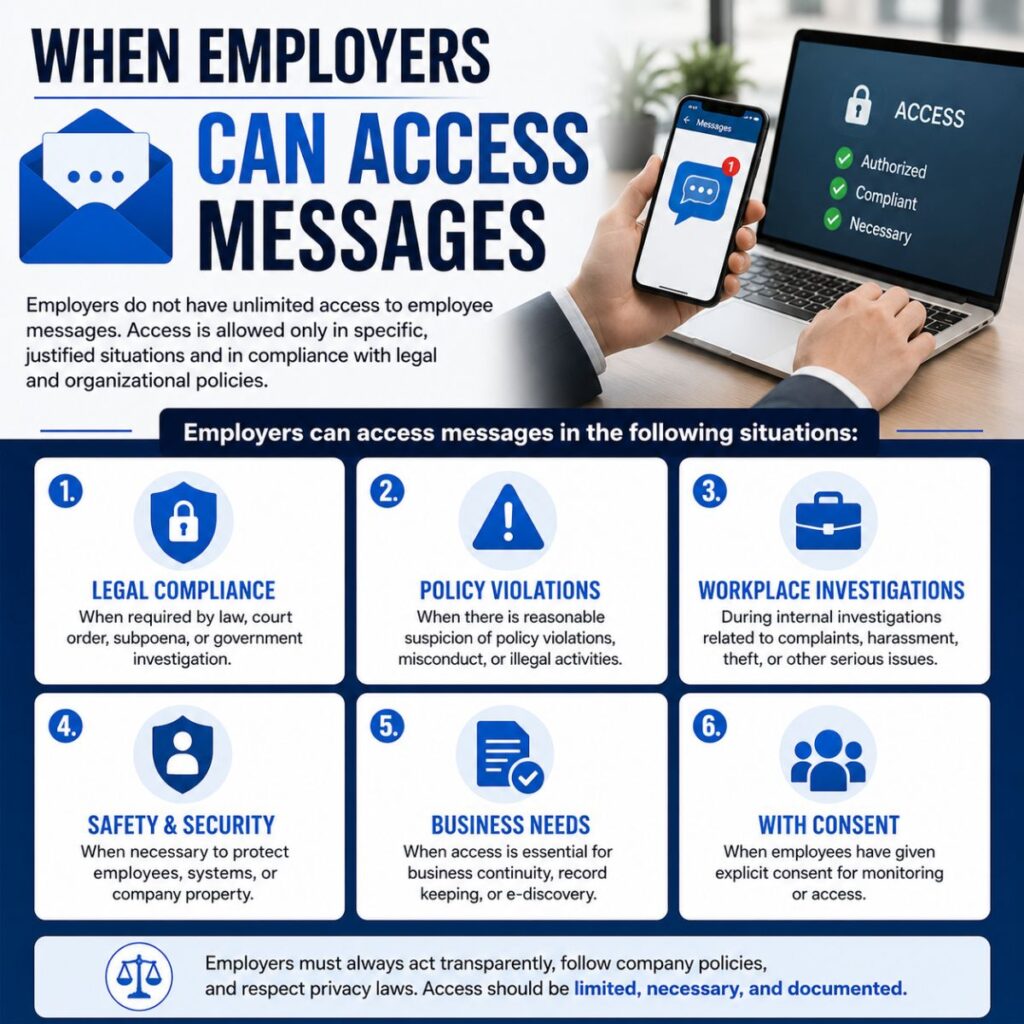
Employers may access communication data in specific situations only.
- When the account belongs to Google Workspace (work account)
- When company policies allow email or chat retention
- When data recovery is needed for business operations
- When legal compliance requires message storage
- When security monitoring detects risks or breaches
Even in these cases, access is controlled and logged for accountability.
Best Practices for Employees
To stay safe and avoid confusion, employees should follow some simple practices.
- Always use personal accounts for private conversations
- Keep work emails strictly for professional communication
- Read your company’s IT and privacy policy carefully
- Avoid mixing personal files with work storage
- Ask IT support if you are unsure about account rules
These steps help maintain a clear boundary between personal and professional life.
Key Takeaway
The most important thing to understand about google employer message access is this:
- Work accounts are managed by employers
- Personal accounts remain private
- Access depends on account ownership and company policy
- Employers use access for security, not personal spying
So, confusion usually comes from mixing personal Gmail with work-managed Google Workspace accounts.
Frequently Asked Questions
Can my employer read my Google messages?
Yes, but only if you are using a work-managed Google Workspace account and company policies allow it.
Can employers access my personal Gmail?
No, personal Gmail accounts are completely private and cannot be accessed by employers.
Why do companies monitor Google Workspace accounts?
Companies monitor work accounts to protect data, ensure security, and meet legal or compliance requirements.
Can deleted work emails still be accessed?
In many cases, yes. Organizations may keep backups or archives for business and legal purposes.
How do I know if my account is monitored?
You can check your company’s IT policy or ask your administrator for clear information.
Conclusion
Understanding google employer message access is very important in today’s digital workplace. While it may sound concerning at first, the system is actually designed for security, management, and compliance rather than personal monitoring.
Work accounts under Google Workspace belong to the organization, so employers can manage and sometimes access communication data when necessary. On the other hand, personal Google accounts remain fully private and independent, even when used on the same device.
Because of this clear separation, employees should always keep personal and work communication separate. At the same time, reading company policies helps avoid confusion and builds trust between employers and employees.
In the end, awareness is the key. When you understand how Google Workspace works, you can use it confidently without worrying

Awais Bilal is the author of Messagesfy, sharing simple and meaningful messages, quotes, and wishes to help people express their feelings easily.